A school ready
for you to explore.
Explore two fictional classes, lessons already set and student work ready to review. Follow the walkthrough or try the teaching tools for yourself.
No account needed to explore. Sign in only if you want to try the AI tools.
Try the tools with prepared work. No school setup and no trial started.
Creating your school starts two weeks with the teaching tools. Start your school trial →
Try the work you do every week.
- 01
Find and set a lesson
Open an interactive Worksheet, explore its explanations and questions, then copy it and set it to a demo class.
- 02
Review work and return feedback
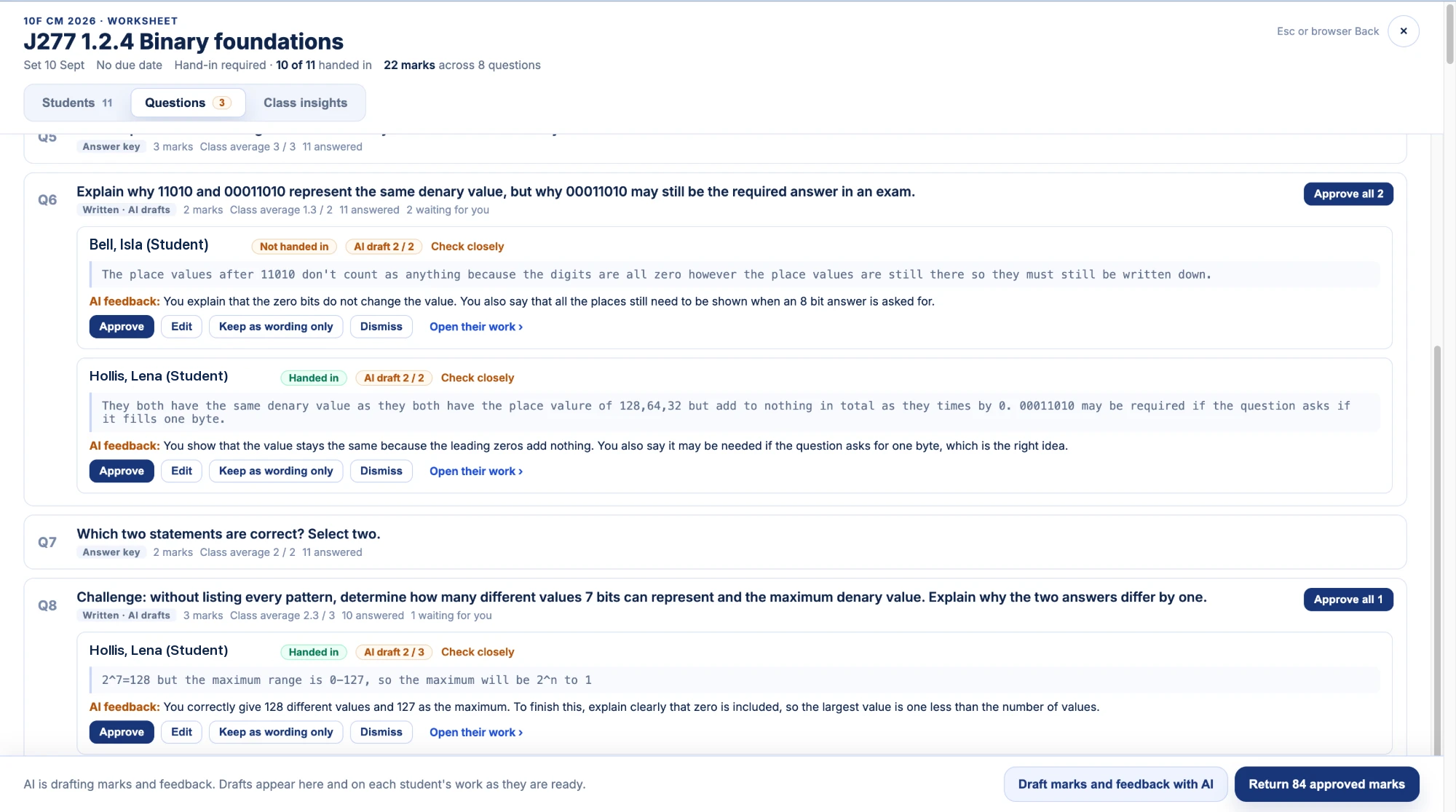
Read answers question by question. Try the marking controls and return feedback.
- 03
Follow the class’s progress
Explore class insights, trophy goals and help requests with prepared student activity.
- 04
Build and use exam practice
Select questions and build a practice paper. Explore setting it to a class for marking and feedback, or downloading the paper and mark scheme to print.
Want to try AI drafting?
Sign in with Google or Microsoft inside the demo to try AI suggestions. Drafts use the marking guidance; you check, edit and approve before returning anything. Students never encounter AI anywhere on the platform.
Session length, setup and privacy
Preparing your fictional school takes about 30 seconds. The session stays open for 40 minutes; you can leave whenever you like.
Demo work is erased after the session ends. A temporary cookie keeps your session open.
Privacy information →Ready for your own classes?
Create your school to start a two-week trial. No card needed.
Compare free and paid school access →