A teaching operating system for Python in your classroom.
Coding Pathway combines a pedagogically engineered, scaffolded learner pathway with school-grade oversight, so students progress clearly and teachers can intervene early.
Built for UK secondary classrooms, quick setup, and multi-teacher oversight rather than one-off coding practice.

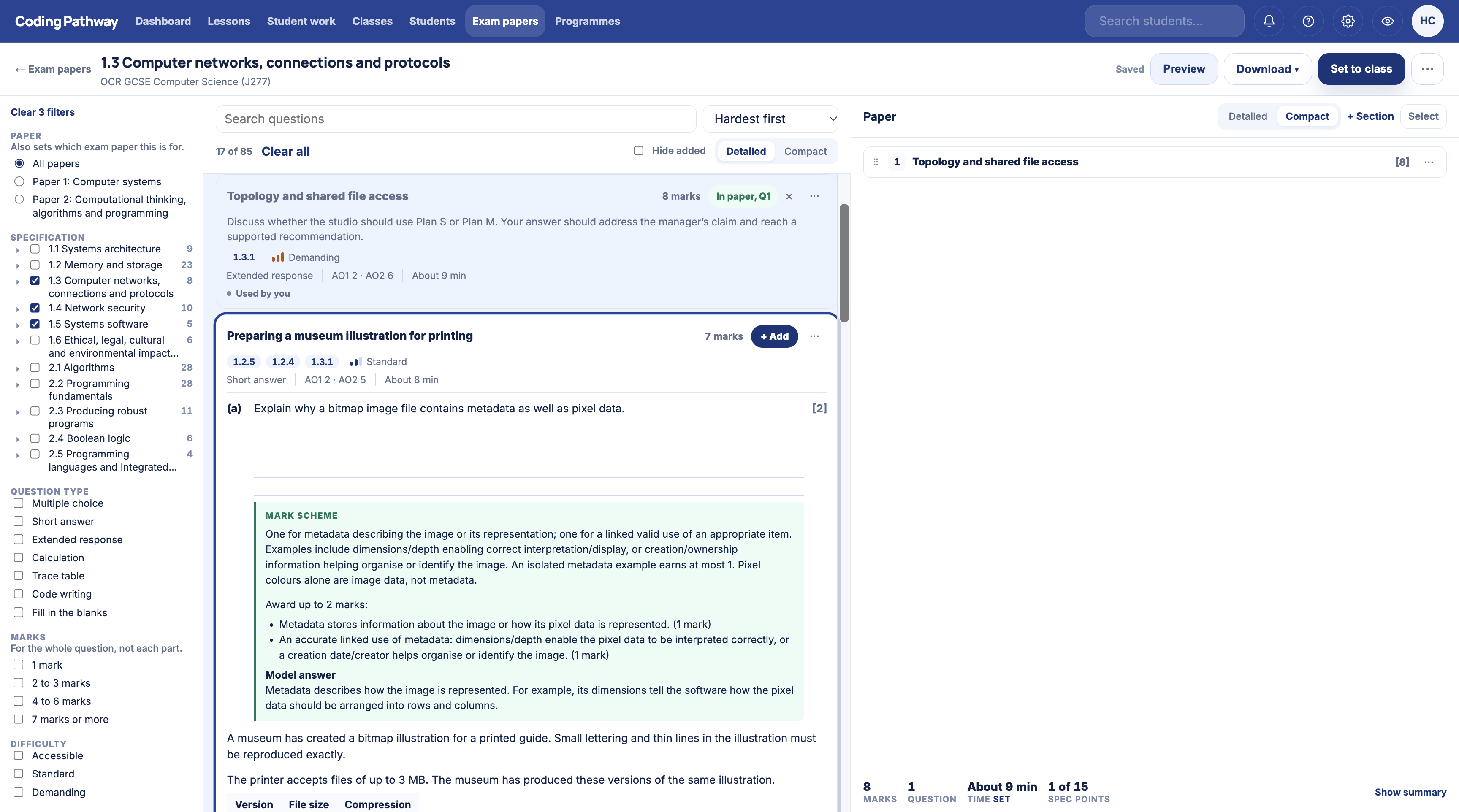
Set a Worksheet for your lesson. Return marked work within minutes of hand-in.
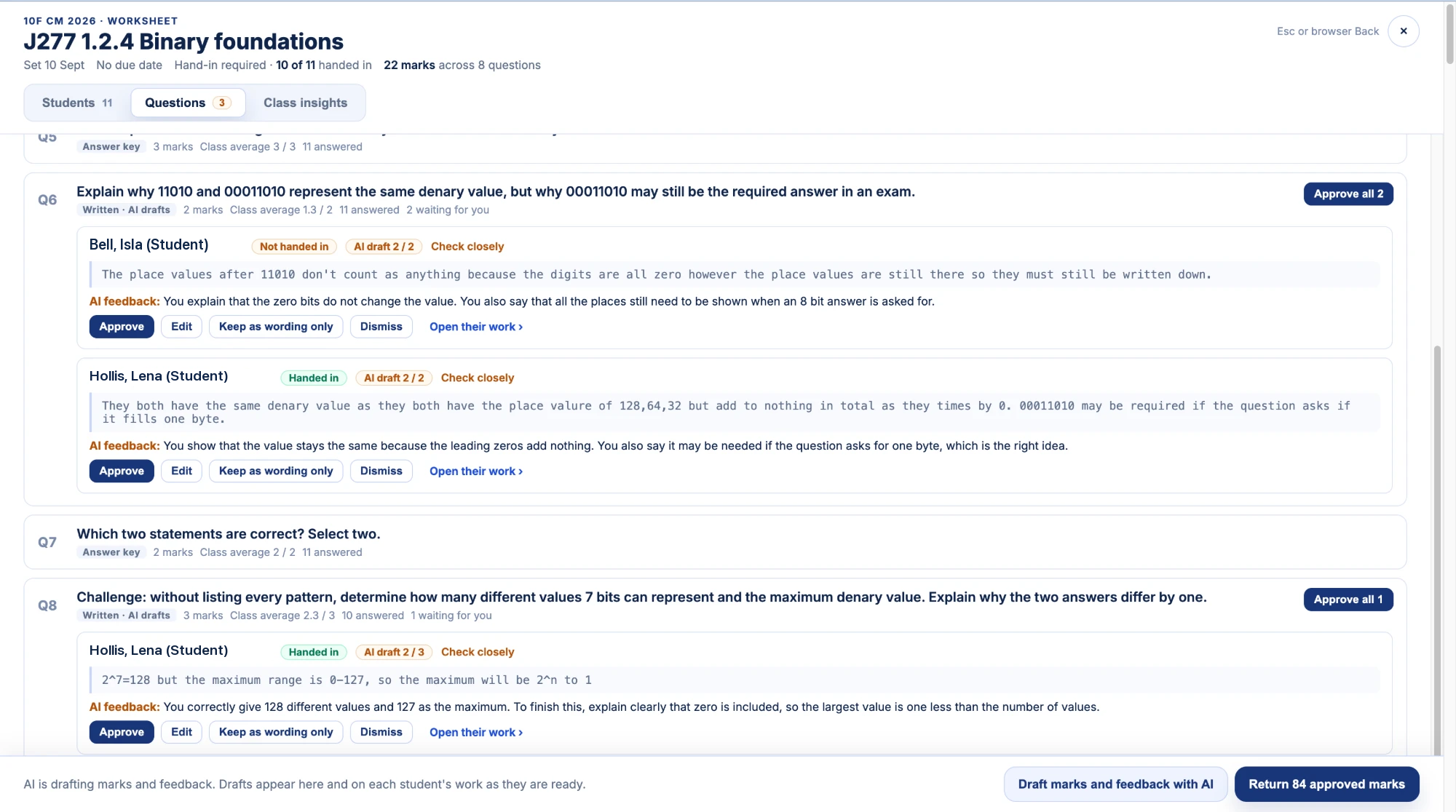
Questions with a set answer mark themselves as students work. The moment work is handed in, or the deadline passes, the class is queued for AI-suggested marking, so a suggestion for every written answer is waiting when you open the review. You check, edit and approve everything before marks and meaningful feedback go back, and students never encounter AI anywhere on Coding Pathway.
- Suggested marks and feedback grouped by question, reviewed and returned in one action.
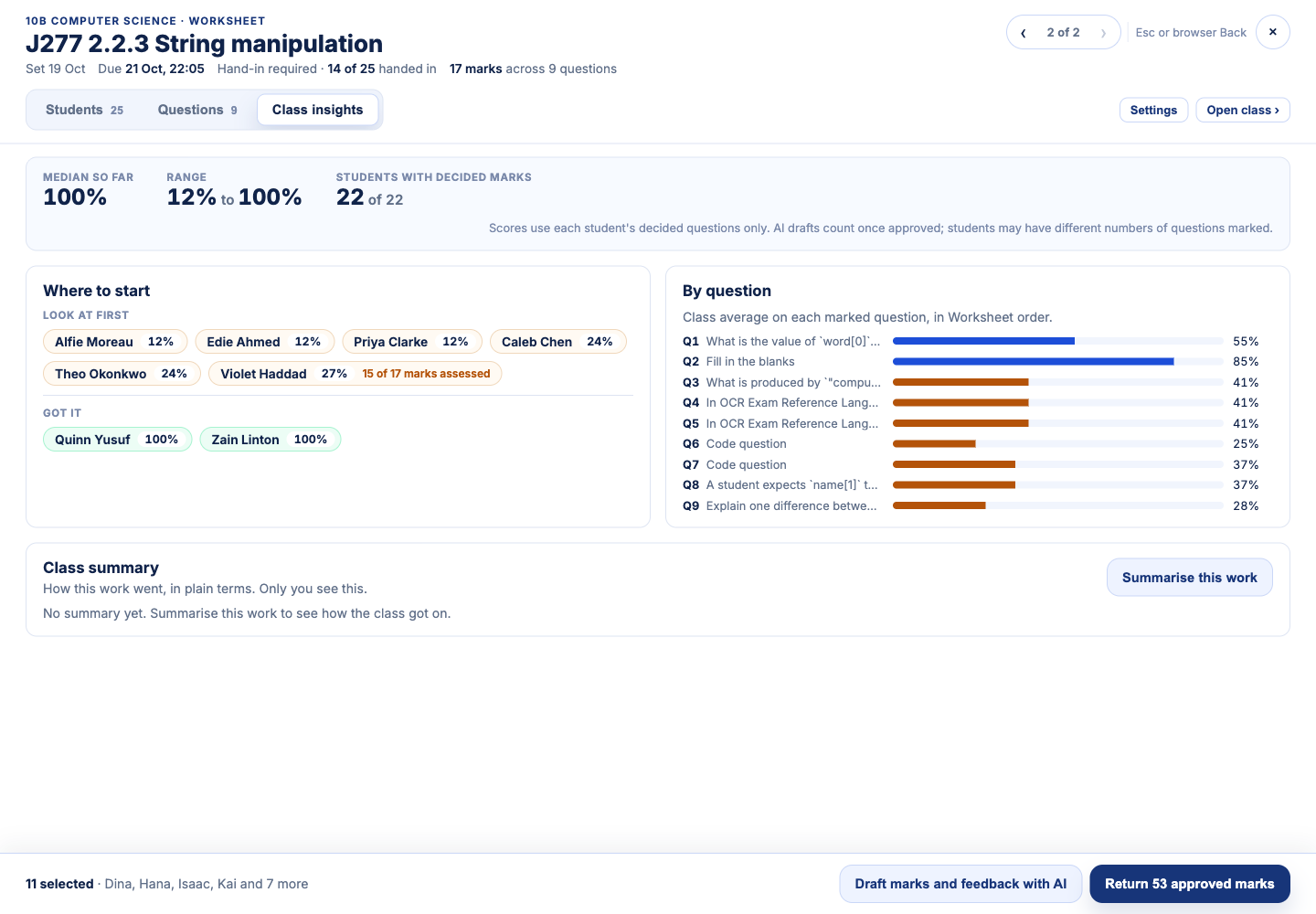
- Class summaries with focus points, evidence, and students worth a closer look.
- Start-of-year tools carry classes forward and archive last year's work, so a student's record is never lost.

Reviewing suggested marks by question before returning them to the class. Demo data.
Built for everyday classroom use.
Teachers use Coding Pathway to set work, review code, scan class movement, and follow up before gaps widen. Adaptive teaching without the admin overhead.
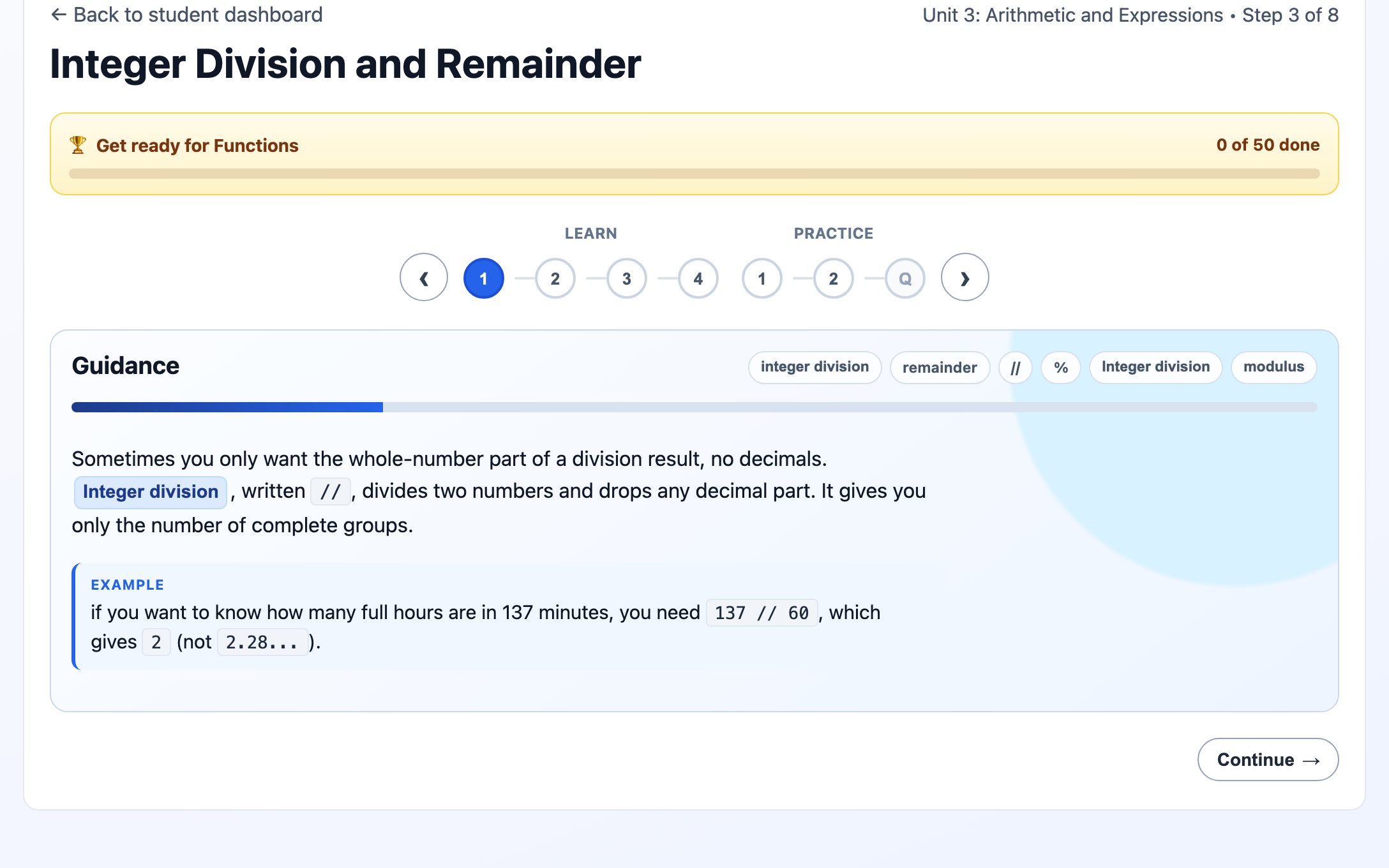
Set classwork, homework, and revision with trophy goals
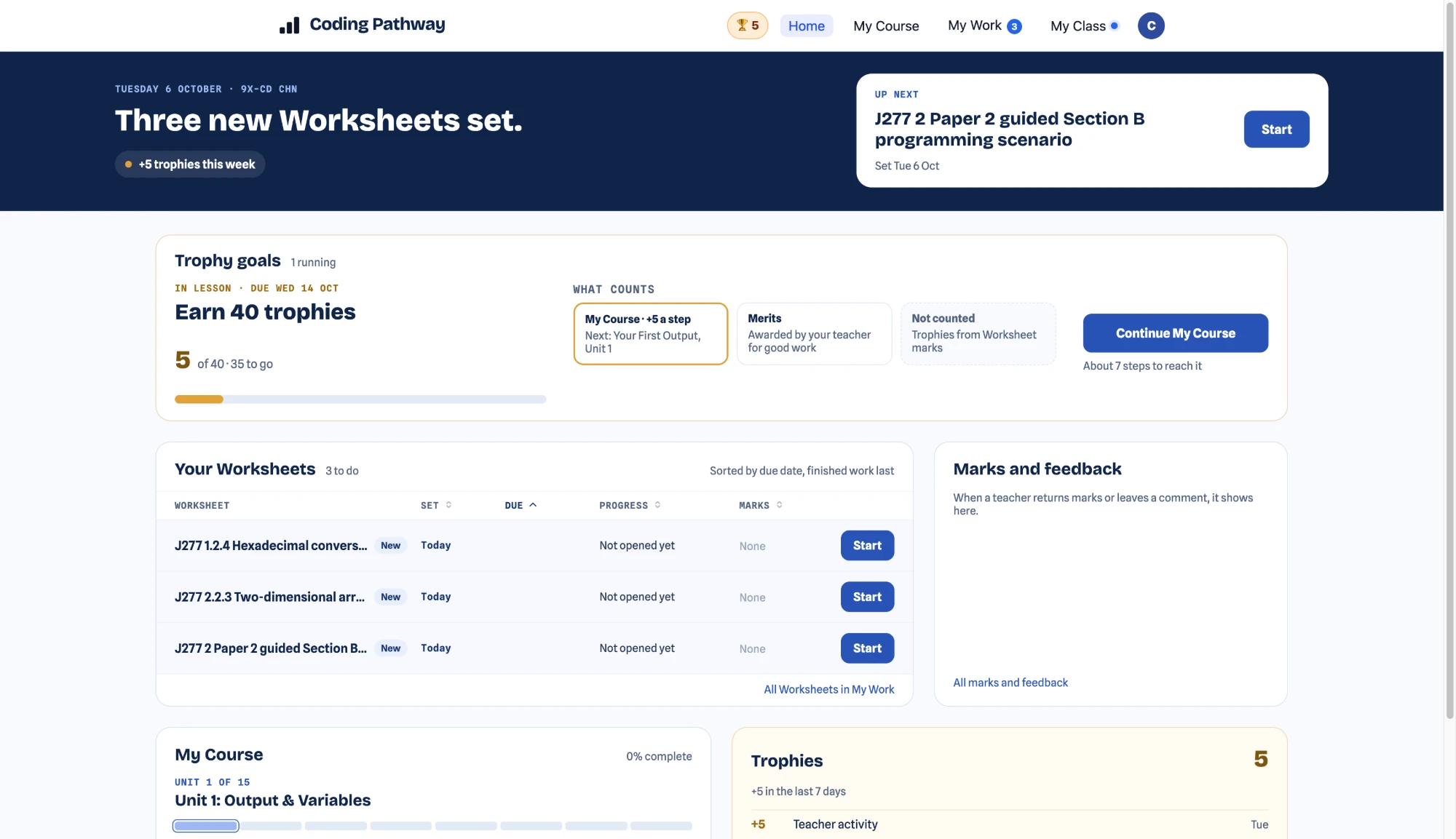
A trophy goal gives the whole class one clear target that any pathway step counts towards. Twenty trophies before the bell, sixty by next lesson: it fits the way lessons actually run.
Teach with lessons and live code
Write starter code and instructions once, share it with a class so students can return to it any time, or broadcast your code live to every student's screen.
See progress, gaps, and who needs support
Class matrices, student drill-down, and practical insight signals help you decide who needs support and what adaptive teaching looks like in practice.

Half-term trophy sprint: a live, front-of-class board the whole room can see.
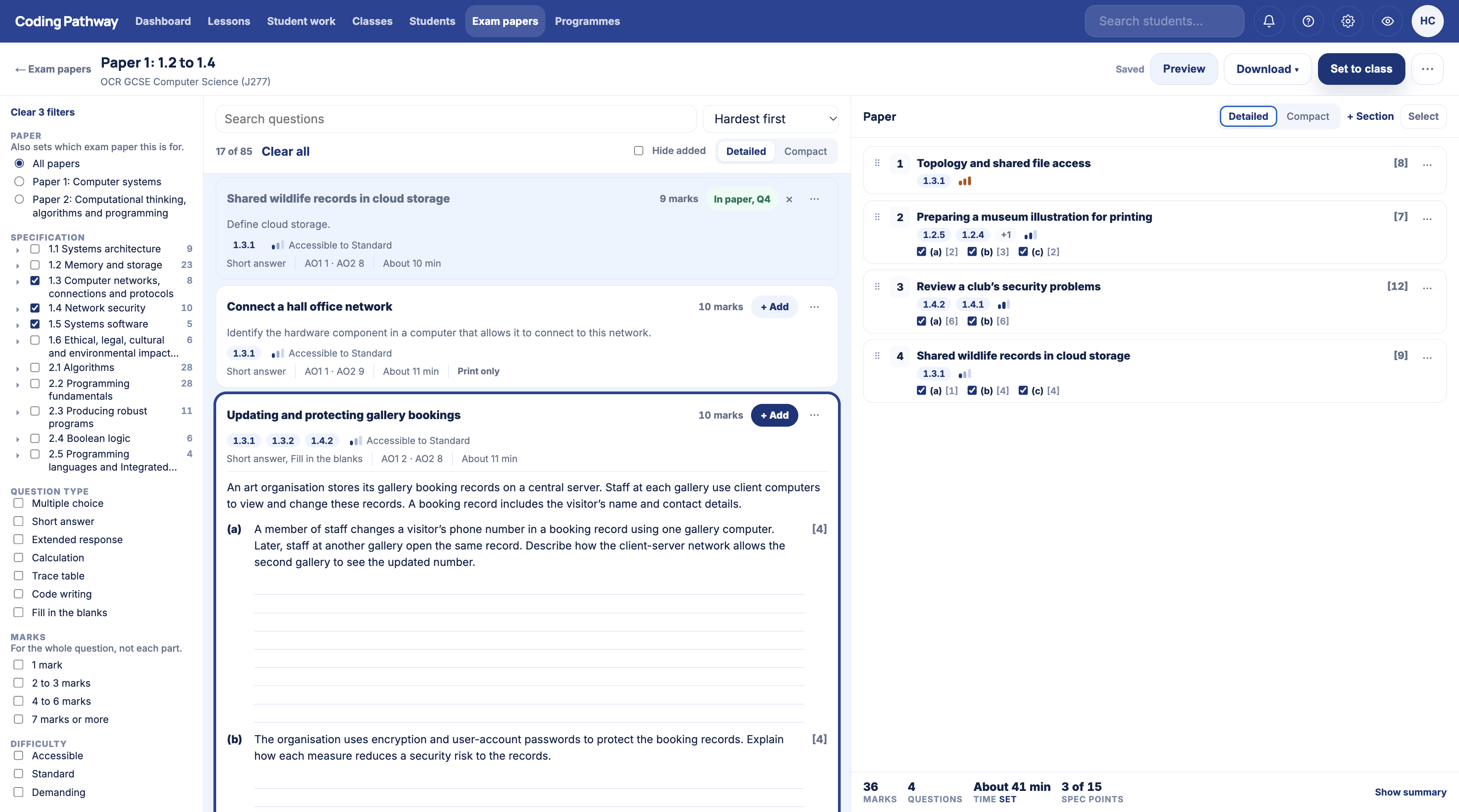
Complete GCSE collections, mapped to the specification you teach.
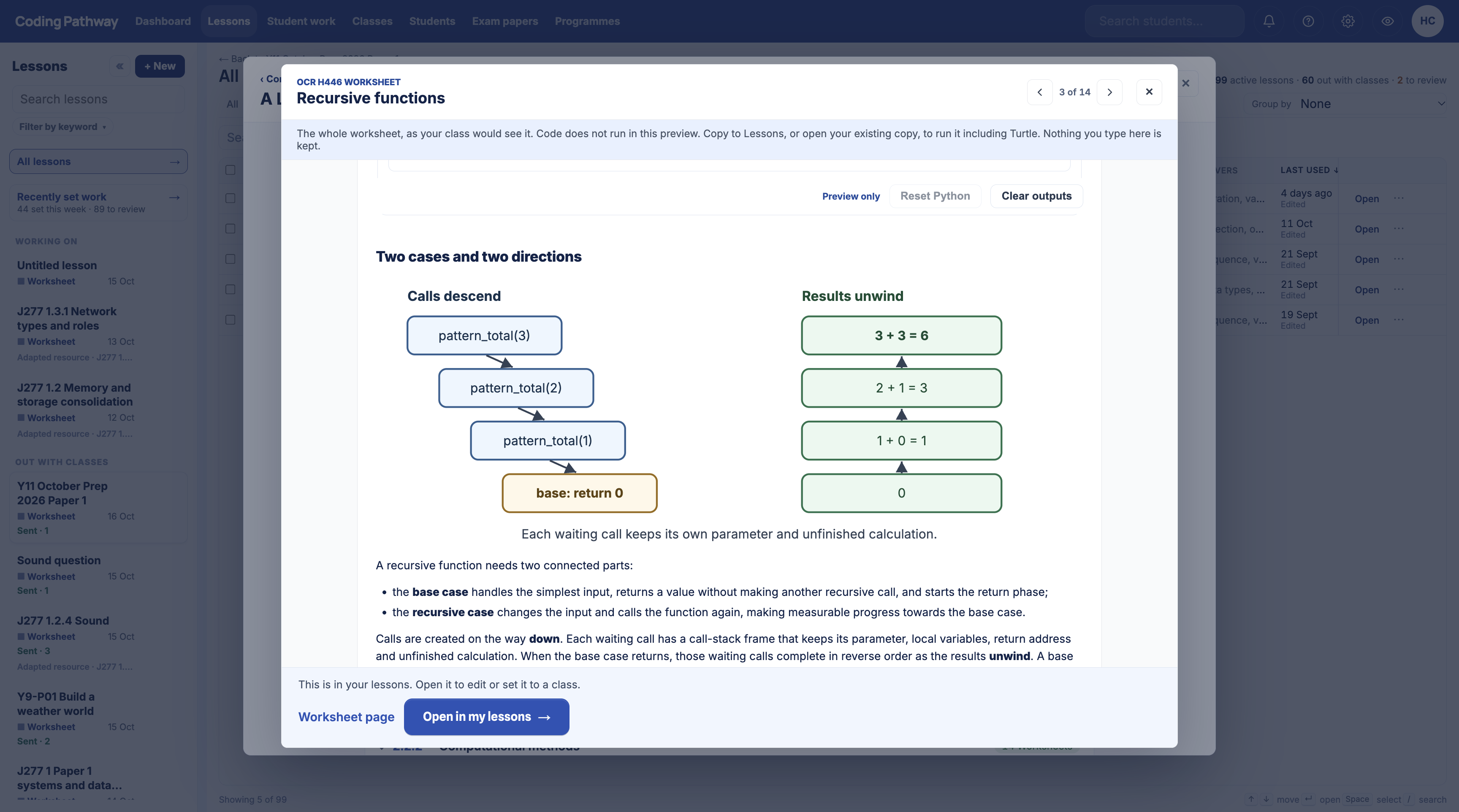
96 OCR J277 Worksheets across both papers, and 125 Edexcel 1CP2 resources across twenty teaching topics, written by a serving Head of Computer Science for use in a real department. Find the specification point coming up next, preview the complete resource, then import your own copy and set it to a class.
Alongside them, the community resource hub carries lessons and Worksheets published by teachers, readable in full without an account and free to copy into your school library. Everything on both maps is readable without an account too.
A browser Python IDE, with the teaching layer built around it.
Every student gets a persistent Python workspace that runs in the browser. No installs, no setup, nothing for IT to maintain. Teachers design lessons on top of it, deliver them live, and review the results without collecting a single file. Lessons also share by link, so a lesson can travel to a worksheet, a colleague, or a teaching community, and any teacher can copy it for their own classes.
There is more on the browser Python IDE on its own page, and on what changes for a department moving across from Trinket.
Write a lesson once, use it everywhere
Author instructions and starter code as a lesson, with AI tools to tidy a pasted worksheet or draft instructions for you. Share it with a class as a resource students return to any time, or set it as work with hand-in when a deadline matters.
Model code live to the whole class
Broadcast your code as you write it. Students watch it update in real time, then copy the lesson into their own workspace with one tap and carry on themselves.
A library of projects students pick up themselves
A library of 114 ready-to-go projects, from first turtle drawings to games, coding challenges, and real data analysis. Ideal as extension work and for the students who want more.
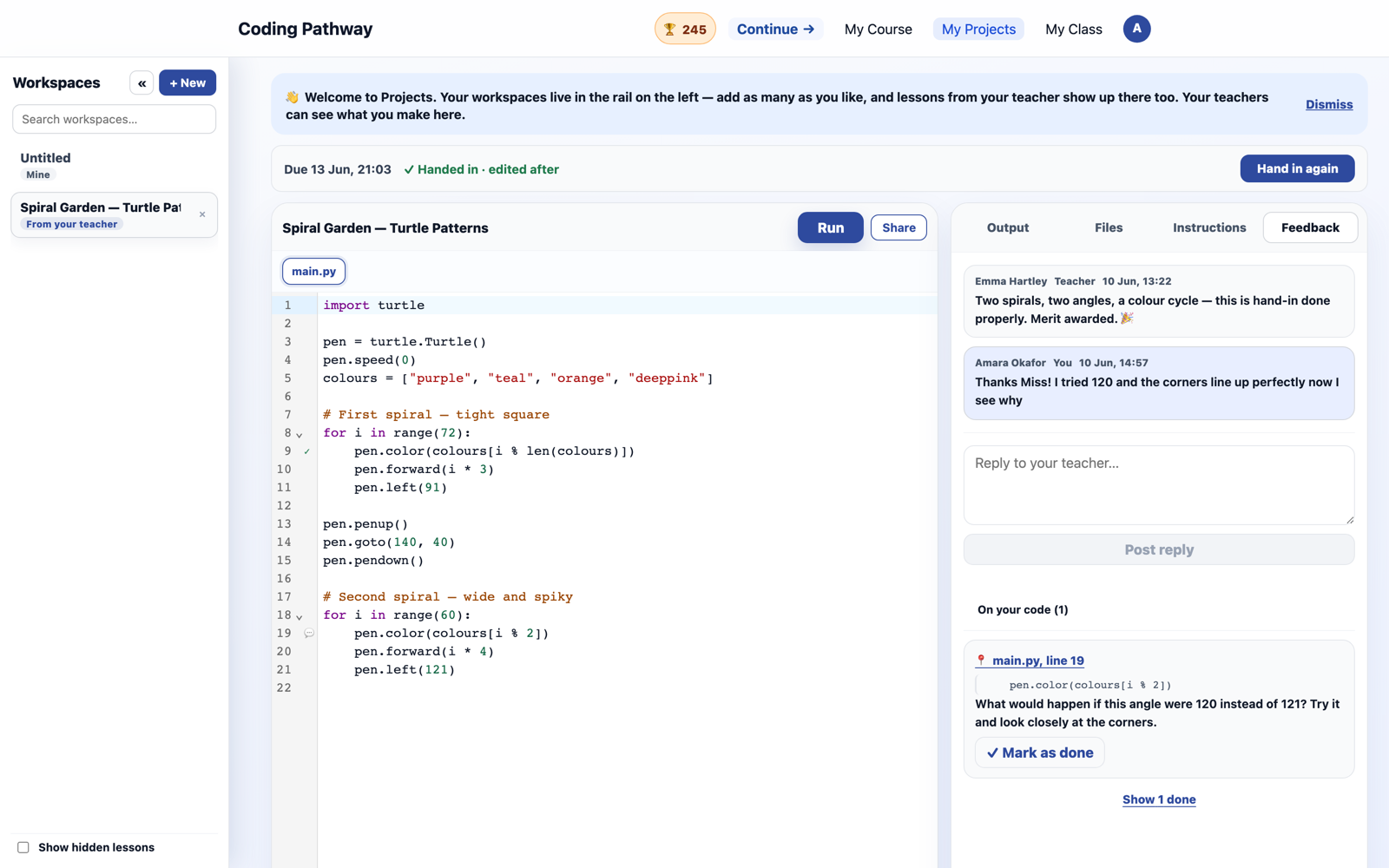
Review code like you would mark a book
Move student-to-student with one key, pin comments to exact lines, see what changed since yesterday, and award trophies for good work. Students see the feedback, reply, and act on it.

Visibility that supports intervention, not just observation.

Teachers can see who is moving, who is stuck, who needs feedback, and where follow-up should happen next. The point is timely action, not more dashboard watching.
Consistent delivery across classes
Run the same structured model across classes and teachers, with school-owned content and a pathway that stays coherent for students.
Google and Microsoft sign-in
Students and teachers sign in with the school accounts they already have. No new passwords to create, manage, or reset.
Evidence for review and inspection
Progress views, feedback history, and exportable summaries support internal review, intervention planning, and inspection conversations.
Already proving itself in real classrooms.
Coding Pathway has reached hundreds of teachers and schools entirely by word of mouth, teachers recommending it to teachers. Students use it in lessons, for homework, and on their own time. We honestly have not found anything else that does this whole job for computing teachers.
“It's been really good for setting homework. The Y10s have got very competitive with the trophies and it's allowed high-attaining students to push forward as far as they like. I've also seen progress with lower-attaining students, because they've been able to complete self-paced practice which has given them confidence in lessons. The teacher tools give you a really good insight into both progress and effort.”
Want to see it with your own classes in mind? Get in touch for a walkthrough or a demonstration for your department. You will be talking to the teacher who built it, not a sales team.
Book a walkthrough →No student-facing AI. By design.
Students never see AI anywhere on Coding Pathway: no chatbots, no AI hints, no generated answers. It is a founding principle, not a setting. AI assists exist only for staff, as authoring and feedback-drafting aids, and their output is reviewed by a teacher before any student sees it. That stance is consistent with the direction of DfE guidance on generative AI in schools, and it means adopting Coding Pathway never opens an AI-governance question for your school.
- School-scoped data with UK GDPR-aware handling and clear access controls
- Google and Microsoft SSO, with no separate student passwords
- Staff-facing AI tools are optional, school-controlled, and human-reviewed
Start with one class. Grow into a department workflow.
Coding Pathway is intentionally usable at small scale first. Departments can begin with one teacher or one class, then expand while keeping the learner experience students already know and the routines teachers already use.
- Start with one class, then expand across a department without changing the learner experience.
- Use the free learner pathway first, then add the teacher operating layer where oversight matters most.
- Support lessons, homework, revision, intervention, and weekly review from the same platform.
Have questions before setting up an account?
Send us a message and we'll review it as soon as we can.