Reset a unit for another attempt, and keep the trophies
Teachers can now reset a pupil's or a whole class's progress on a single unit, ready for a fresh attempt. Year rollovers or reteaching a topic; keep the trophies pupils already earned or reset them.
Good Computing teaching spirals. You come back to a topic later in the year, or the year after, and you expect more of pupils the second time round. Until now the platform did not give you a clean way to reopen a unit a pupil had already finished, so a class moving into a new year, or a group you wanted to reteach, was left looking at last year's completed work. This update fixes that.
You can now reset progress on a single core unit, for one pupil or a whole class, and choose whether the trophies they earned stay on their total. It is an important piece of housekeeping the platform was missing: for rolling a class into a new year, for reteaching a topic that did not land, and for reopening a unit for revision and recall.
What you can do
- Reset one pupil's unit. On a pupil's record, or from any cell in the class progress matrix, reopen a single unit so they work through it again. Their progress returns to the start, and the end-of-unit quiz locks again until they have redone the steps.
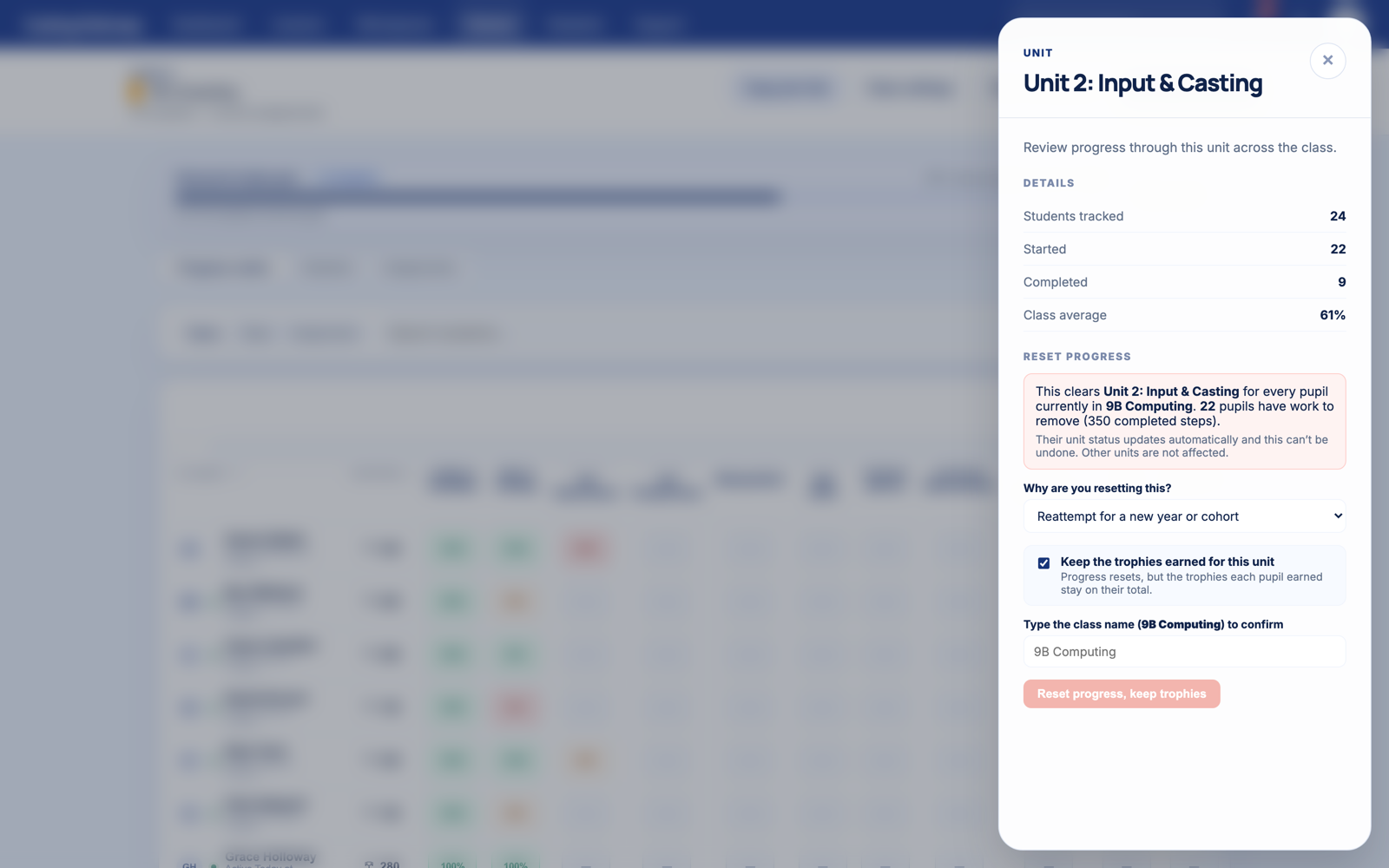
- Reset a unit for the whole class. From the unit heading in the progress matrix, reset that unit for every pupil currently in the class in one go. A whole-class reset asks you to type the class name first, so it cannot happen by accident.
- See exactly what will change before you confirm. Every reset shows how many pupils and how much work it affects, and says plainly that it cannot be undone. Nothing outside the unit you pick is touched.
Keep the trophies, or clear them
Revisiting a unit should not cost a pupil the trophies they earned the first time. So when you reset, you choose:
- Keep the trophies. Progress resets to zero, but the trophies the pupil earned for that unit stay on their total, and they can earn again for the fresh attempt. A pupil who worked through a topic in their own time last year is not punished for being taught it again this year. This is the default when you are resetting for a reattempt or a reteach.
- Clear the trophies. If you are resetting because the work was not the pupil's own, you can remove those trophies at the same time. The reason you pick sets a sensible default, and you can always override it.
Safe by design
A reset only ever affects the one core unit you choose. Other units, a pupil's projects and workspaces, and any merits you have awarded by hand are all left alone, and every reset is recorded. It is a deliberate, considered action rather than a blunt wipe.
This is the sort of quiet, behind-the-scenes work that keeps a whole platform usable year after year. If there is a piece of classroom housekeeping that would make your teaching easier, tell me and I will take a look.