Automatic marking for trace tables and number-system questions
Coding Pathway now marks each trace-table row, bit, carry and method step automatically. It saves teachers from checking every box in a class set, while giving students useful feedback on exactly where their working went wrong.
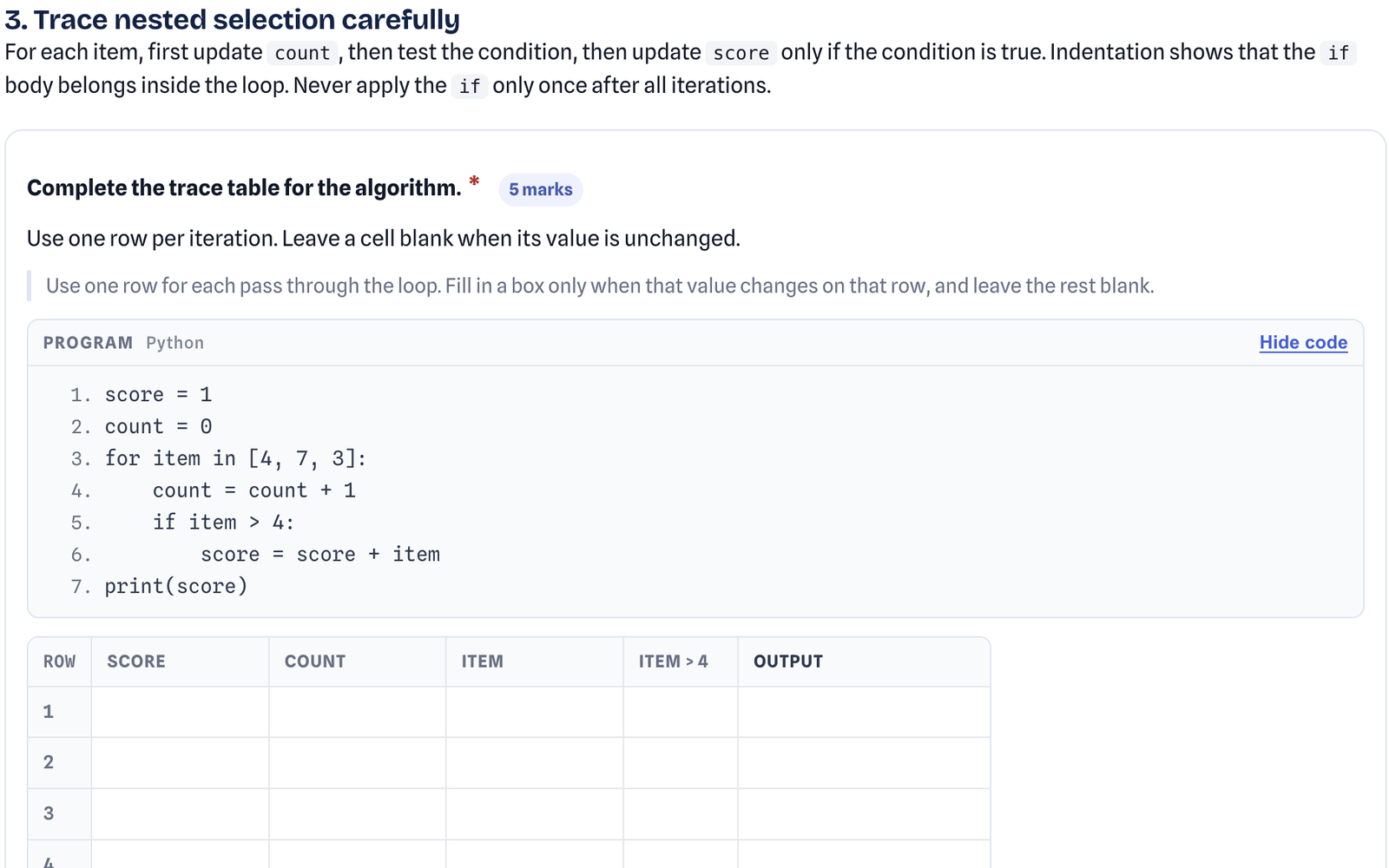
Trace tables can now be completed and automatically marked inside Coding Pathway Worksheets. The same is true for binary, denary and hexadecimal working, including carries and method steps.
That removes one of the slowest parts of using these questions with a class: marking every row or bit by hand. Students get more than a final correct or incorrect too. They can see the missed loop pass, dropped carry or method step that cost the mark.
Automatic marking that understands a missed row
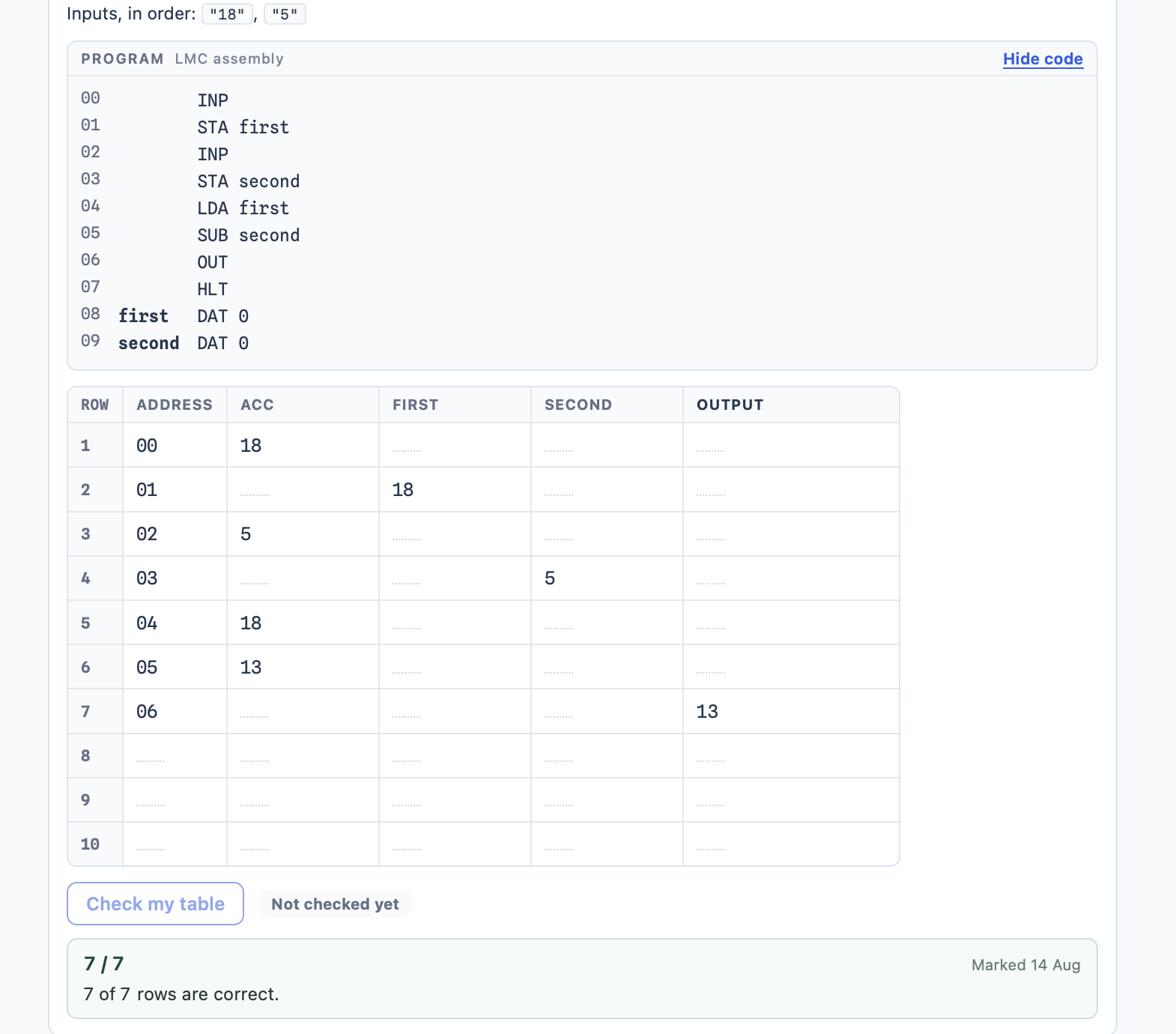
Add an algorithm to a trace-table activity and the table is built from what the code actually does. There is no answer table for the teacher to transcribe. Students fill in the values as they trace it. The table is marked row by row, with the first wrong column identified when a row does not match.
The marker does more than match boxes in order. If a student misses one row, it lines their later working back up with the program trace. A correct row after the omission can still earn its mark instead of one mistake making the rest of the table appear wrong. That is much closer to how I would mark it by hand.
Trace tables work with Python, OCR's Exam Reference Language and LMC assembly. Use an exam-style table, scaffold the trace step by step or ask students to predict the output. With Python and OCR Exam Reference Language, you can also give students a completed trace and ask them to find and correct its first mistake.
Give marks for the method in number work
The same problem comes up in number systems. A final answer does not show whether a student understood the method, and one slipped bit can hide several correct steps.
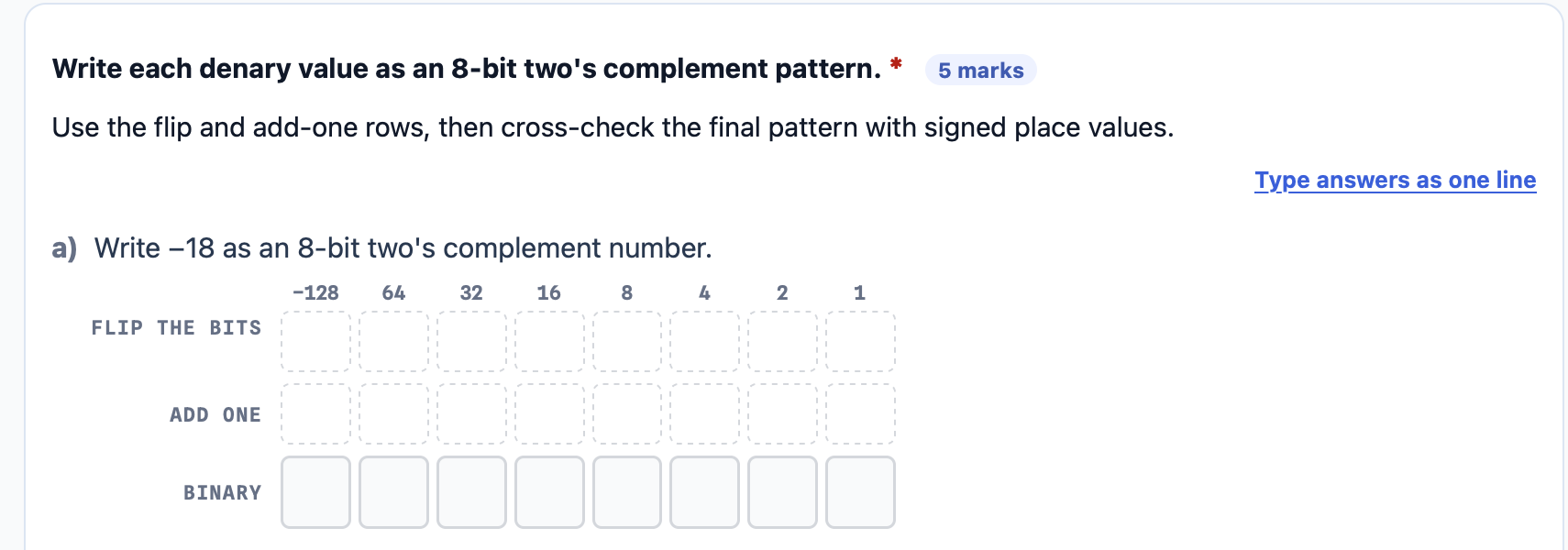
Binary, denary and hexadecimal questions now use proper digit grids, with working marked separately from the final answer. In binary addition, the carry row has its own marks. In two's complement, the flipped bits and add-one step are checked separately. A student who understands the method but slips one digit keeps the marks they earned and can see which part needs correcting.
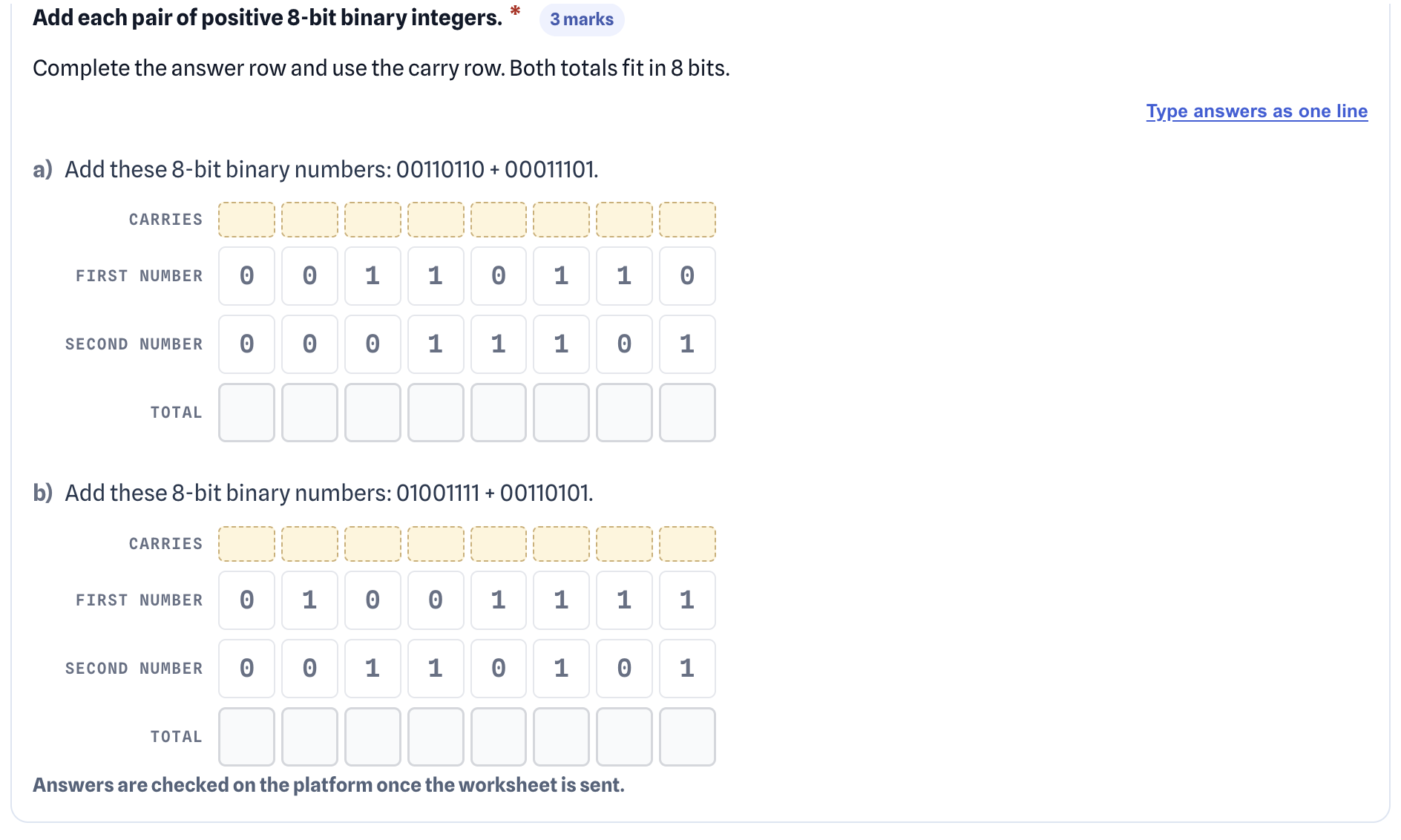
For modelling, choose the exact numbers everyone will use. For independent practice or homework, the same question can give each student different numbers, fixed in their own copy, so the class practises one method without sharing one answer.
Practice or quiet assessment
Two smaller changes broaden the same Worksheets: multiple choice can require more than one correct answer, while fill-in-the-blanks supports inline code, tables and shared answer banks.
When you set a Worksheet, you also choose what happens to the feedback from its auto-marked activities: keep each activity's original setting, show results straight away, or hold every result until you return the marks. For practice, students can correct a dropped carry or a missed loop pass while the method is fresh. For a quiet assessment, their answers save without revealing whether they are right.
The marks feed into the same class review and summary as the rest of the Worksheet. Instead of marking thirty tables or additions box by box, you can start with the row, column or method step that caused the difficulty.