Complete OCR J277 and Edexcel 1CP2 teaching collections are live
Open the course you teach, choose what is coming next, then preview, import and set the resources that cover it. Both complete GCSE collections are live, ordered and connected to Coding Pathway's marking, feedback and class summaries.
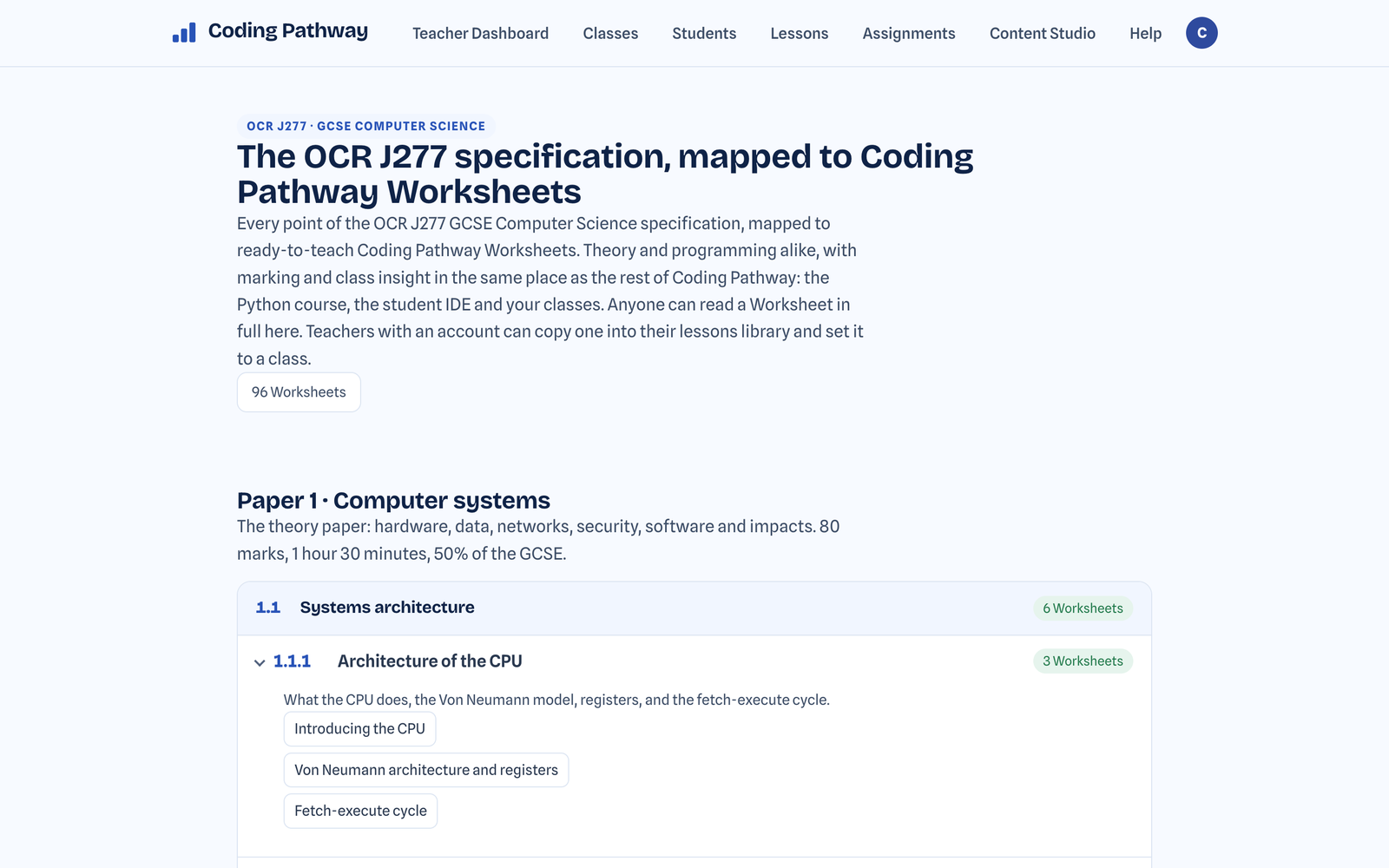
Both complete GCSE collections are now live: 96 OCR J277 Worksheets and 125 Edexcel 1CP2 resources. They are set out in course order, ready to preview, import into your Lessons and set to a class.
Most teachers already know what they are teaching next, or what has to be covered this term. The new maps take you straight from that specification point or topic to resources written for the qualification and its examinations.
Go straight to the topic you are teaching next
The OCR J277 map follows the specification point by point. Open the paper and unit you are teaching, expand the point, and the Worksheets that cover it are listed underneath. The Edexcel 1CP2 map separates Principles from Computational Thinking, with the teaching topics ordered within each strand but no imposed year-by-year scheme of work.
Click the resource for your topic and preview it in full without leaving the map. Once you are happy with it, import it into your Lessons, make any changes you want and set it to a class. The pages are public, so you can read every resource before signing in. If you are signed in, class labels show which resources you have already set.
Two complete GCSE collections
The OCR J277 collection contains 96 Worksheets covering theory and programming across both papers. I wrote them for my own department, with explanations, worked examples, self-marking activities and written-answer marking guidance included.
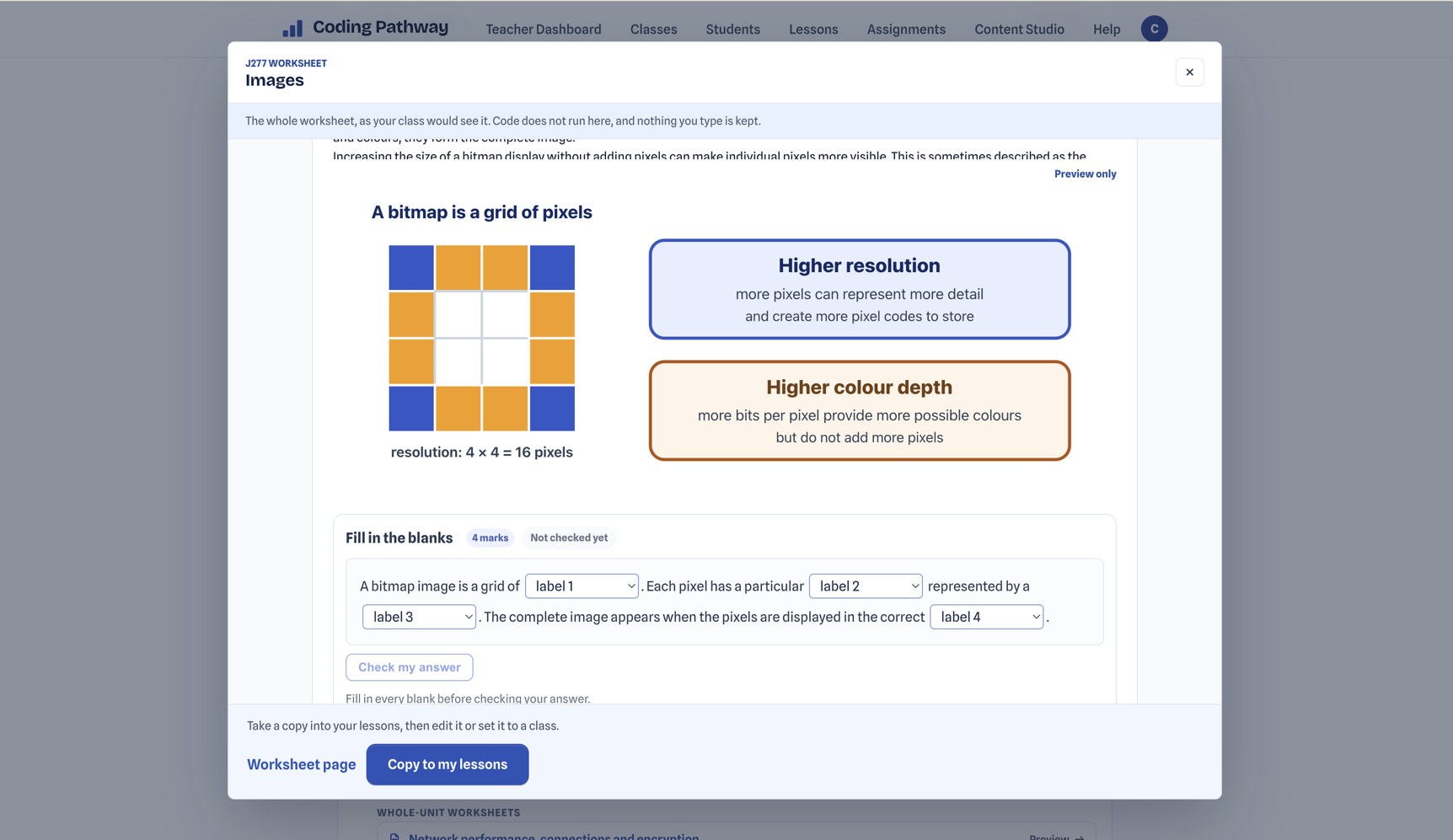
The Edexcel 1CP2 collection contains 125 resources: 119 Worksheets and six Workspace lessons. The Workspace lessons sit in the Turtle topic, where students need to run and inspect the programs they write. The collection covers both strands across twenty teaching topics.
What a Coding Pathway Worksheet is
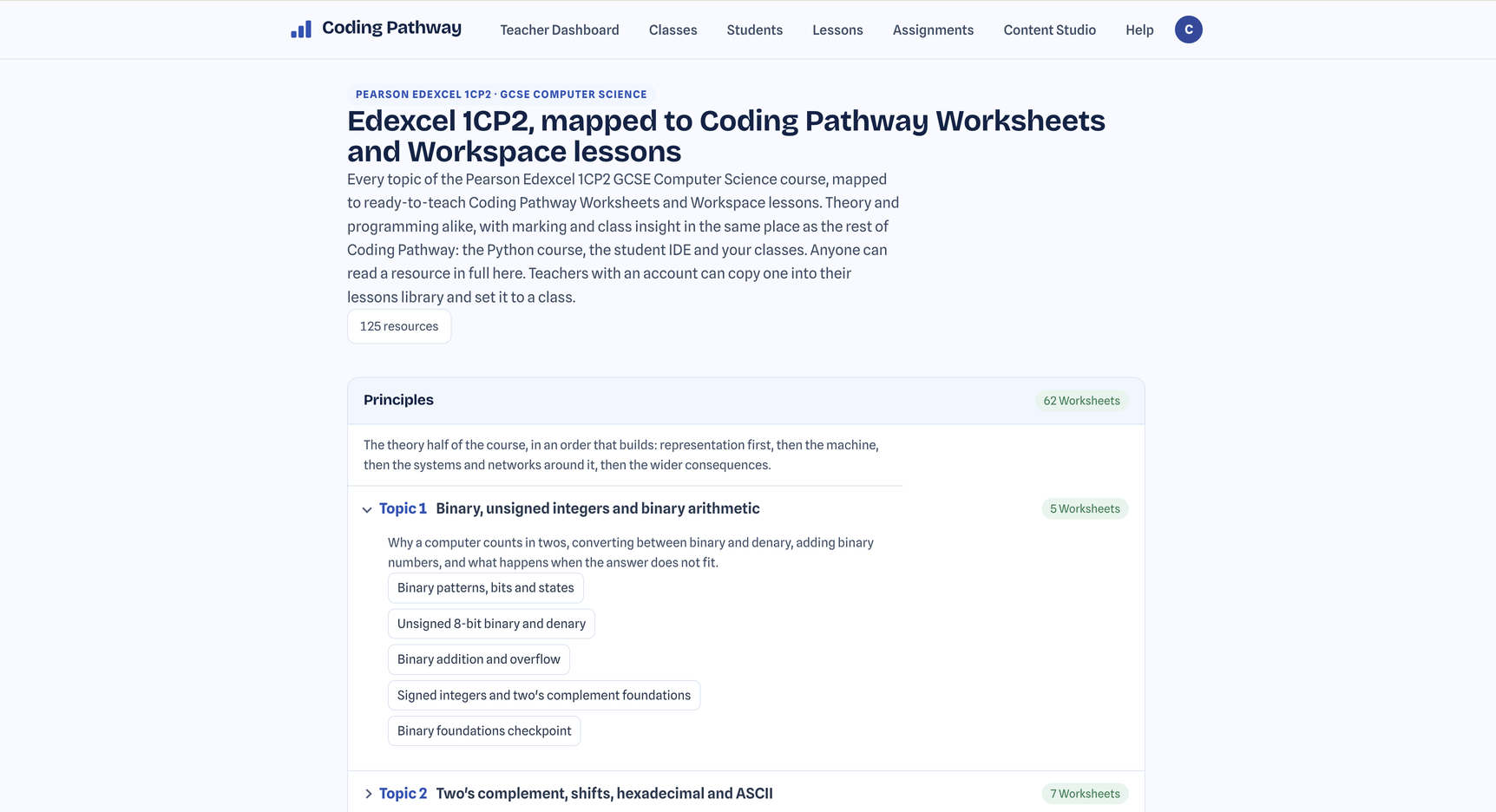
Most resources on the maps are Coding Pathway Worksheets. Worksheets are Coding Pathway's own invention: an interactive format built to carry a complete Computer Science lesson rather than turn one part of it into a quiz.
A Worksheet combines teaching text and worked examples with multiple choice, fill-in-the-blanks, exam-style written answers and runnable Python. Dedicated number-system and trace-table cells capture and mark the method, not just the final answer. One Worksheet can deliver theory, coding or move between the two.
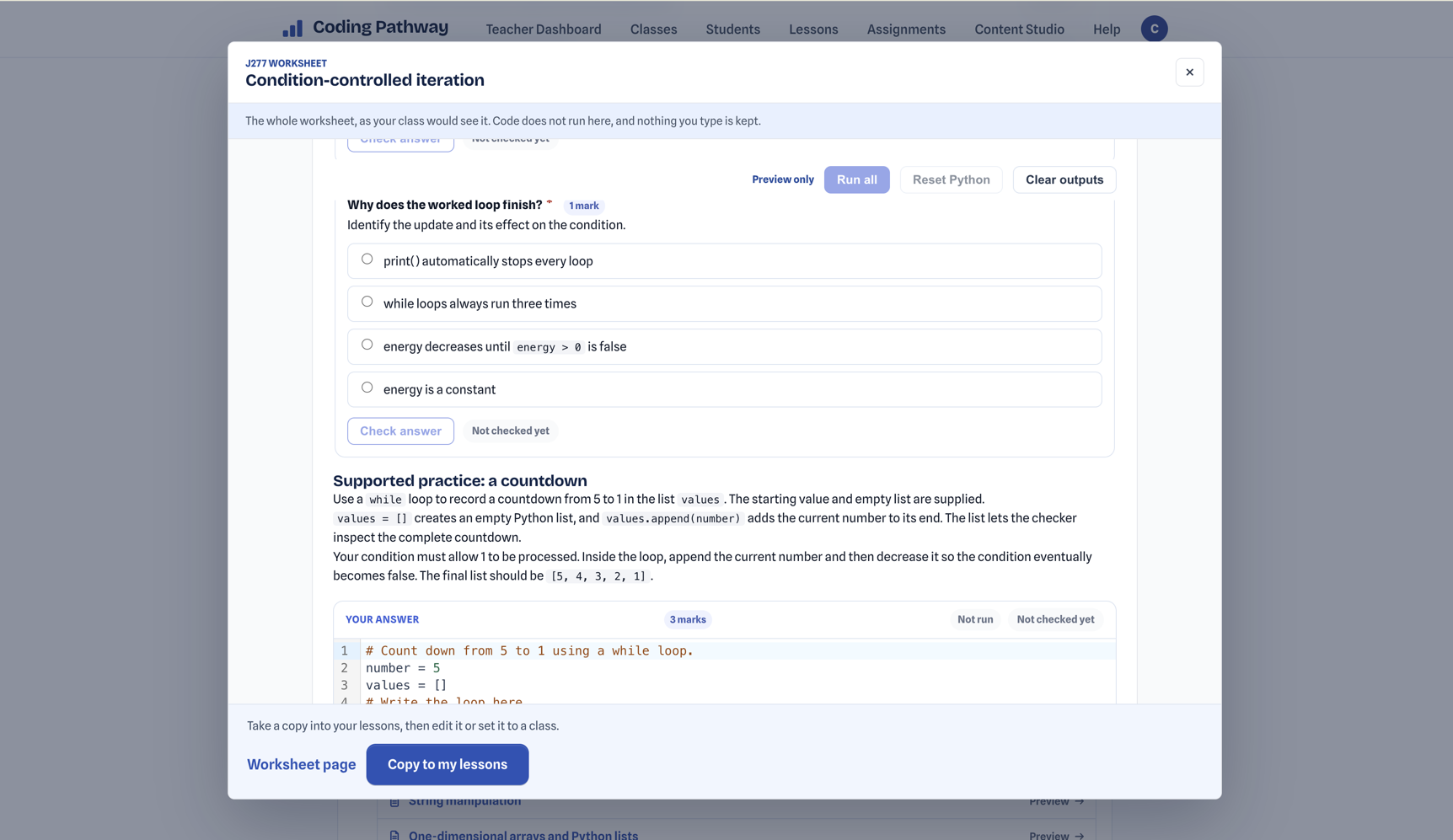
You can teach from a Worksheet while students complete it in the browser. Importing creates your own copy to adapt or use as written. Their work stays connected to the class, and objective activities are marked as they work, with part marks and useful feedback where they are earned. You can show that feedback straight away or hold it until you return the marks.
For written answers, AI drafts marking suggestions and feedback against the Worksheet's own marking guidance; you check, edit and approve it before returning anything, and students never encounter AI anywhere on Coding Pathway. In my testing so far, those drafts have been very good.
Once the marks are in, the class summary points back to the questions behind them: what the class understood, what may need teaching again, and which students are worth looking at first. The marks also feed into the progress view across the rest of the class's work.
The maps take you from the topic you already know is next to an examination-relevant lesson you can teach and set, then into marking, student feedback and the resulting class picture.
Everything on both maps is readable without an account. Open the course you teach and start with the topic coming up next. If you spot a gap or something mapped to the wrong place, tell me and I will fix it.