How to set your first Worksheet on Coding Pathway
Our first A Level map is now live, taking the shared library past 400 interactive Worksheets, and five steps take you from the specification map to a marked class set of work.
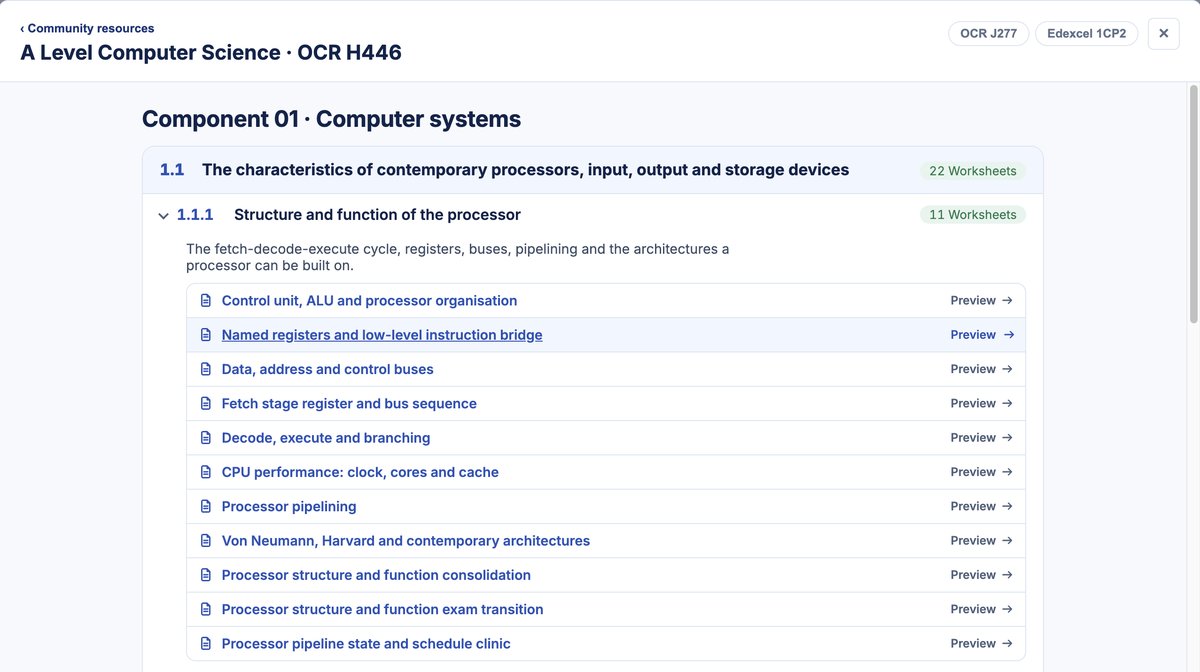
First, one piece of news: our first A Level map is now live. 200 Worksheets cover the whole OCR H446 specification in the same mapped format as the GCSE sets, which takes the shared library past 400 interactive Worksheets. They're new this term, and we'll keep refining and updating them as real classes use them. The OCR H446 map is public, so you can read every resource before signing in.
The rest of this post is the route from the shared library to a marked class set of work, in five steps, and what happens when the work comes back.
Five steps, start to finish
1. Start in your Lessons. Choose New lesson, then Community resources. Everything shared by other teachers, including the full Coding Pathway sets, sits behind that one button.
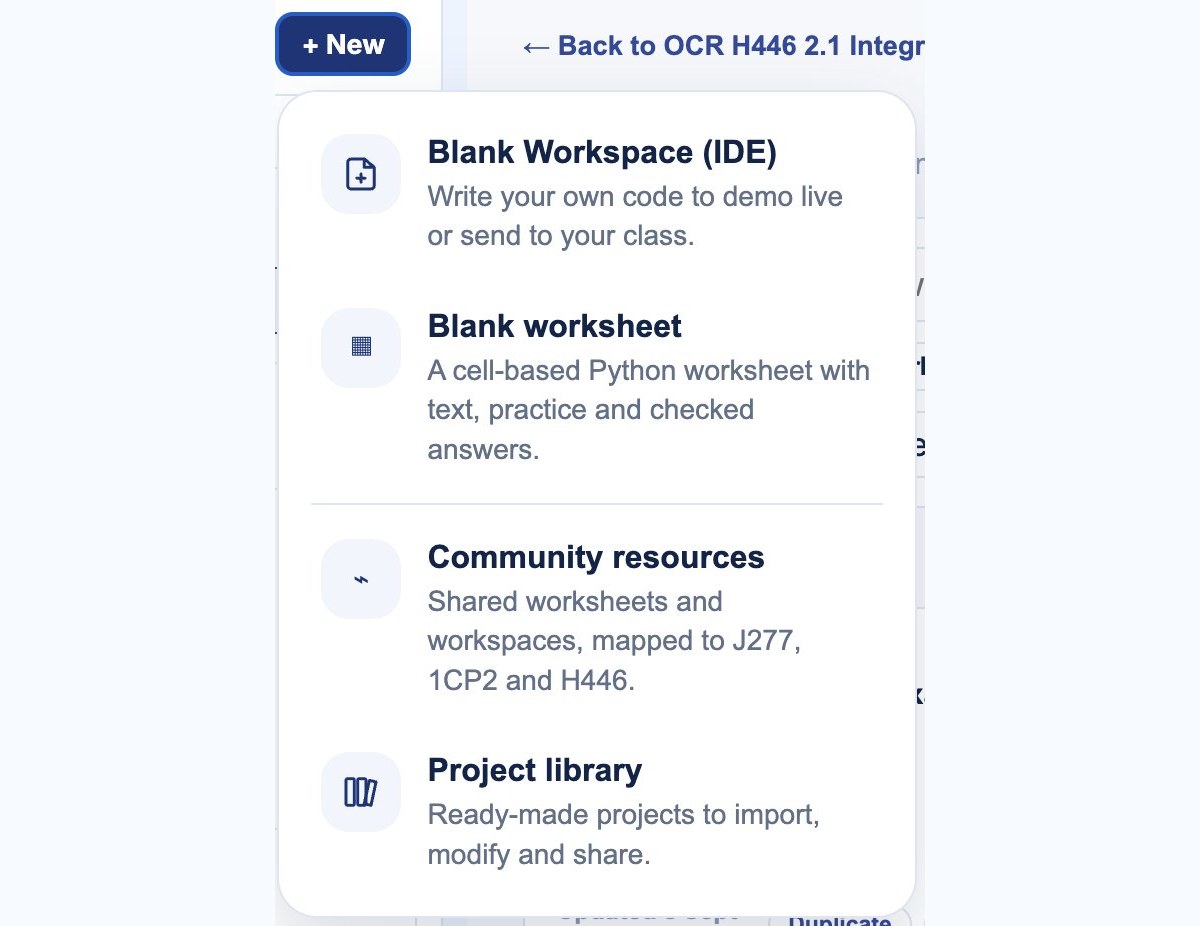
2. Browse the shared sets. Coding Pathway provides worksheets for OCR J277 and Edexcel 1CP2 at GCSE and OCR H446 at A Level, there for everyone to use with their classes, alongside resources shared by other teachers, with search across everything.
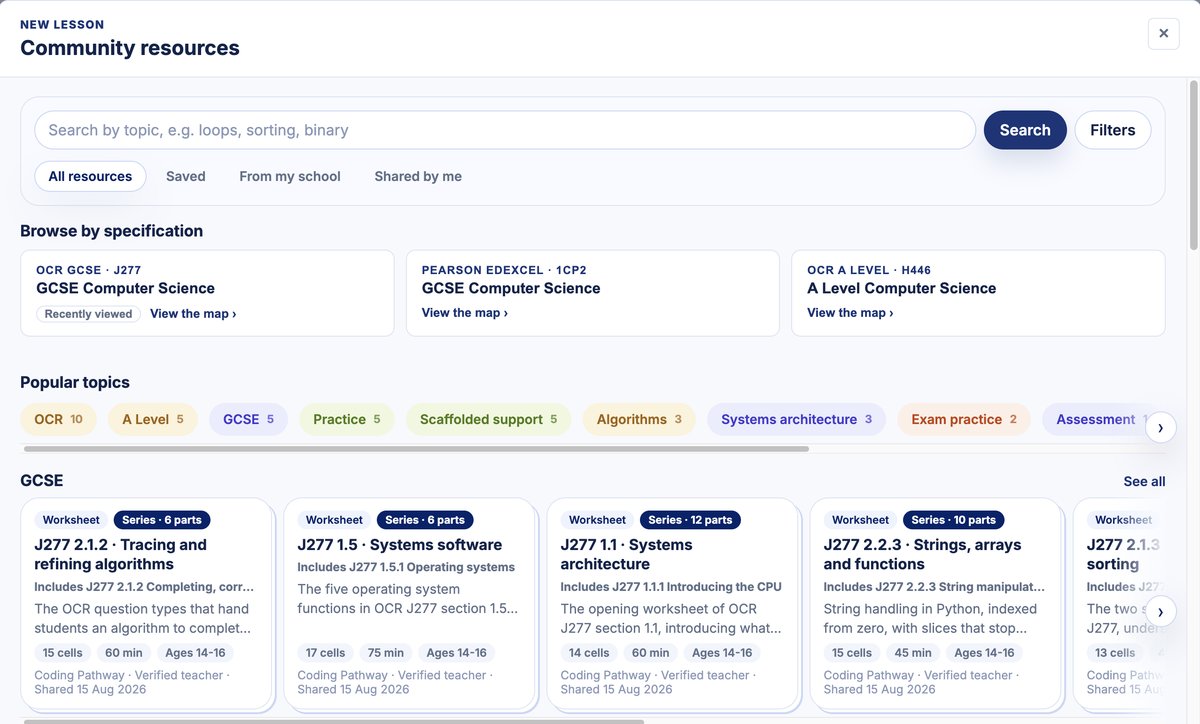
3. Open the map for your specification. Every worksheet sits on the map under its unit or topic, so you find the topic you're teaching next, not a pile of search results.
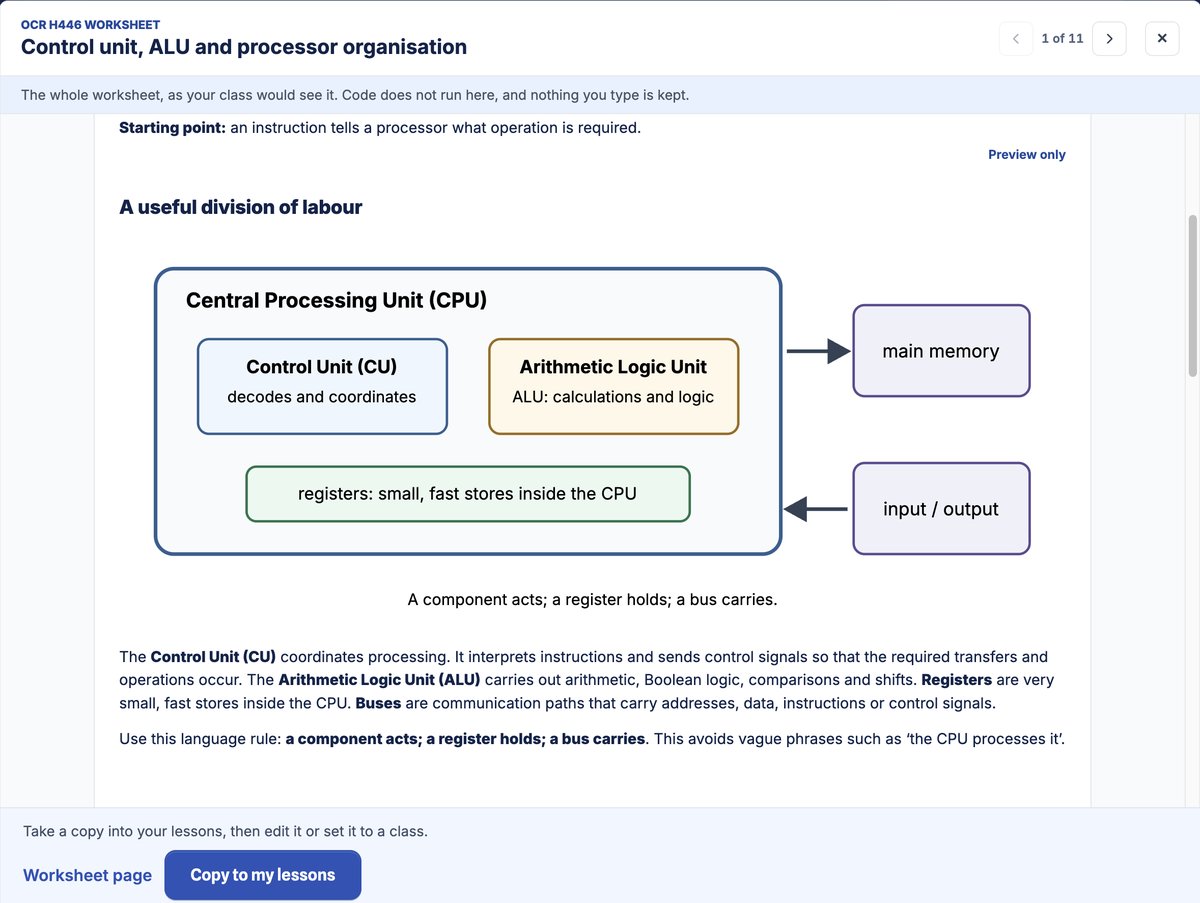
4. Preview it in full, then copy it. Read the whole worksheet exactly as your class will see it, then choose Copy to my lessons. Your copy is yours: use Preview as student, change anything your class needs, or leave it exactly as written.
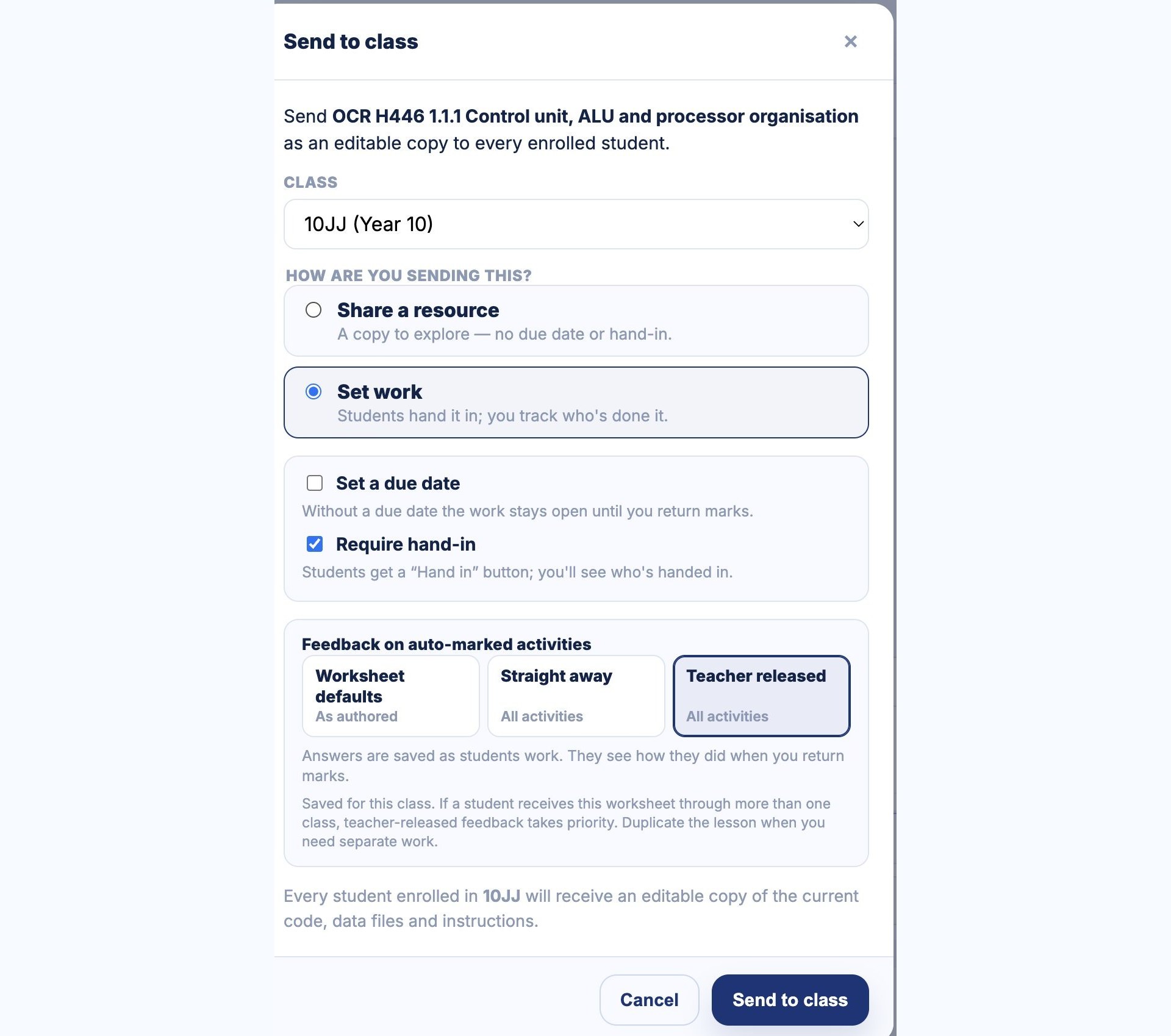
5. Send it to the class. For anything you want marked, choose Set work with a due date and require hand-in: when a student hands in, or the due date passes, the AI marking and feedback suggestions run automatically and wait for your review. On assessed work, set the feedback on auto-marked questions to teacher released too, so students see results when you return them rather than checking and retrying until everything is correct. If you just want students to explore, share it as a class resource instead, with no due date or hand-in.
When the work comes back
Worksheets take a real variety of student responses, from multiple choice, fill in the blanks for both code and sentences, trace tables and number-system questions to open-ended written answers and real Python, with popular libraries and file handling where a task needs them. Questions with a set answer are marked automatically as students answer them. For written answers, AI drafts marking and feedback suggestions against the guidance on each question; you check, edit and approve them before anything reaches a student, and students never encounter AI anywhere on Coding Pathway.
You'll find the AI marking drafts on the Recently set work page: review the suggestions question by question, change anything you disagree with and return the marks. Class summaries appear there too, generated from the question types and student performance, offering insight into how your class is performing overall on recent topics, what may need to be revisited, and who may need particular help.
All of it will keep being worked on and improved, and feedback is more than welcome: get in touch and tell me. I'm open to focused working groups on worksheet provision later in the year if you'd like to be involved. The resources Coding Pathway provides will keep expanding too: the current sets have been the focus because they're what our team is most familiar with.
Step one is your Lessons. If you would prefer a demonstration, book a walkthrough with me at a time that suits you. I'd love to talk, and better understand how you need to use the platform.