Schedule classwork and see what needs reviewing
Prepare work ahead of a lesson, choose when students receive it and keep track of what needs marking or returning in Recently set work.
You can now prepare a lesson and choose when it appears for a class. I've also tightened up Recently set work, so it's easier to see what needs reviewing and which marks still need returning.
Schedule work ahead of the lesson
In Lessons, open a lesson and select Send to class, then Schedule for. Choose a release date and time, and add a due date if you need one.
You could prepare a networks Worksheet on Monday, release it for Wednesday's lesson and give students until Friday to finish. The work stays out of their view until its release, so you can get it ready without the class starting early.
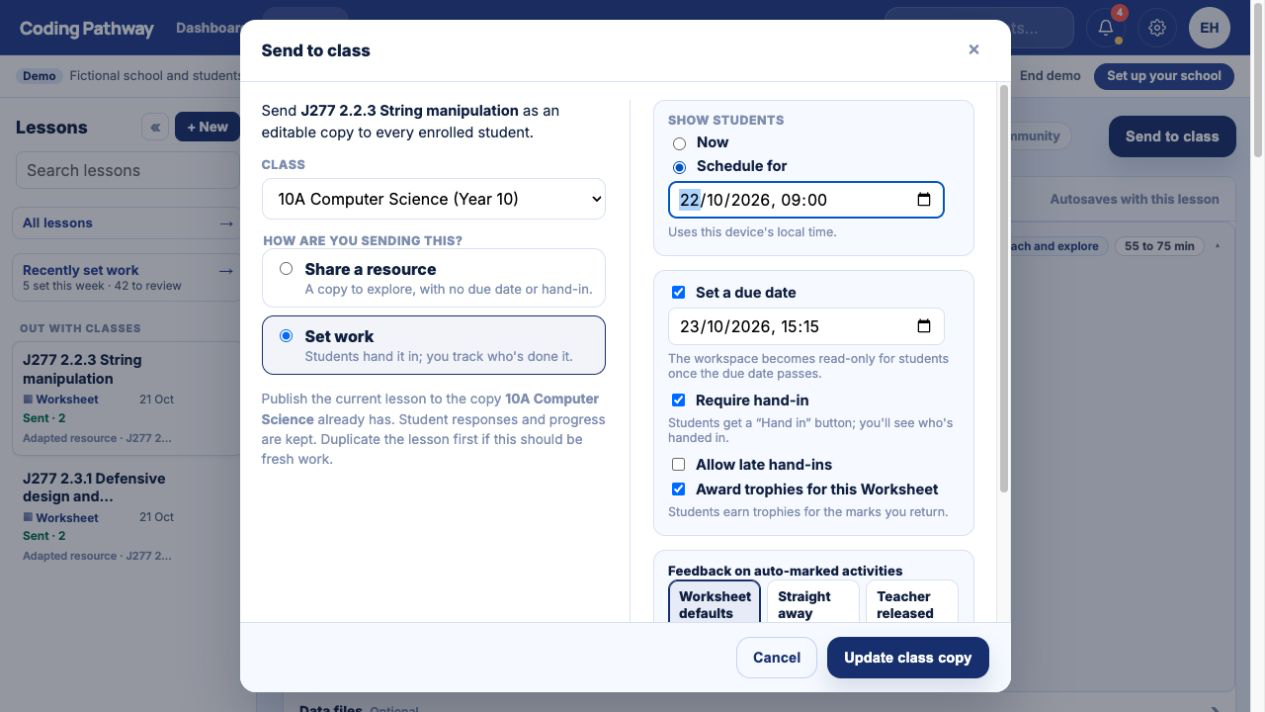
See what needs your attention
Open Recently set work to see work across your classes, including students who haven't started, responses to review and marks to return. From there, open the relevant work and pick up the marking.
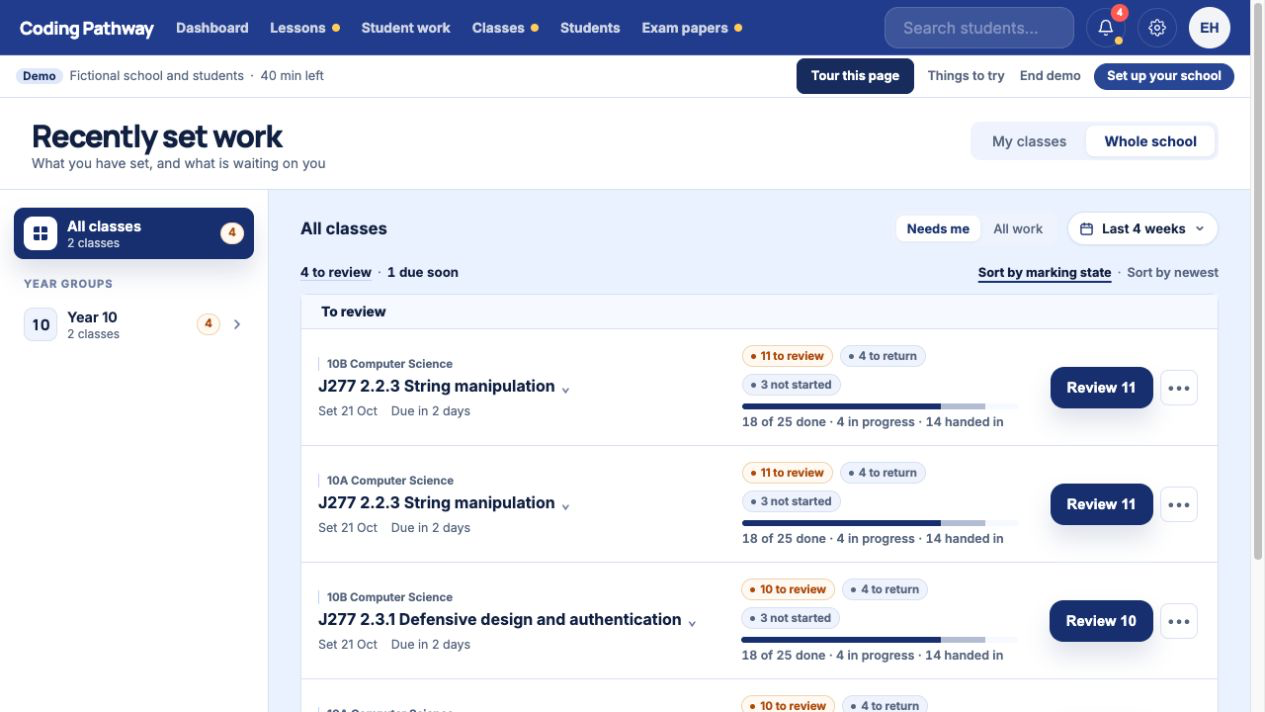
The to review and to return counts help you pick up unfinished marking. If you've checked the answers but haven't sent the feedback back, that work still appears as needing your attention. You can finish marking now and return it when you're ready to go through it with the class.