Coding Pathway is now available on iPhone and iPad
Students can complete Computer Science Worksheets, practise Python and read returned feedback in the new app. Teachers set and review the work through the website, with answers and progress together.
Not every student has a laptop or computer available at home. The new Coding Pathway student app gives them another way to complete their Computer Science work on an iPhone or iPad, alongside the browser version they already use.
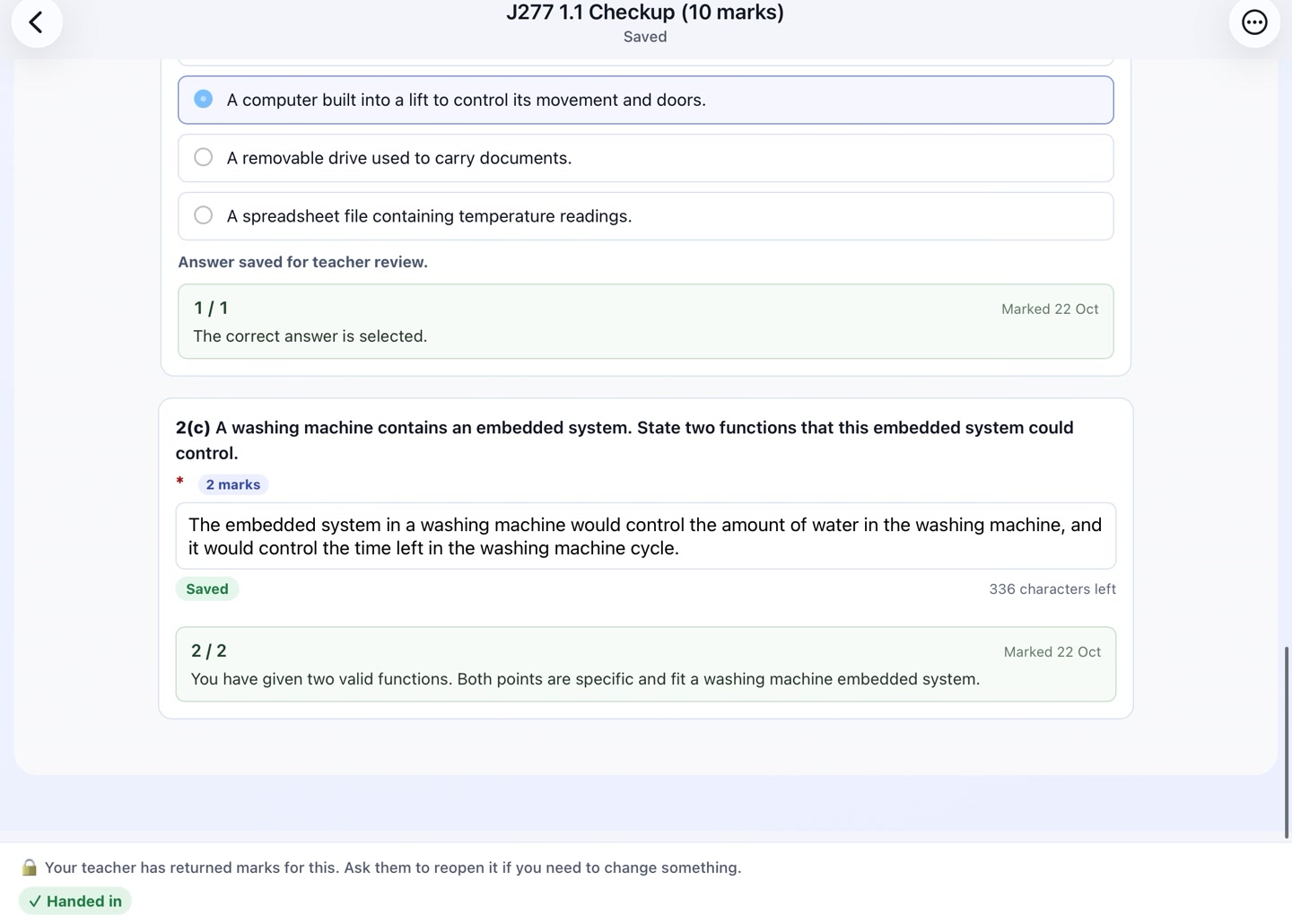
Students can open assigned Worksheets, continue the step-by-step Python course, follow trophy goals and read returned marks and feedback. They use their existing Coding Pathway account, so their work stays together when they move between the app and a browser.
Computer Science lessons and homework
Interactive Worksheets bring explanations, multiple choice, written answers, fill-in-the-blanks, trace tables and runnable Python into the same lesson. Students can complete the work you set and hand it in for marking, including theory and exam practice for GCSE and A Level Computer Science.
You continue to set and review work through the website. Answers completed in the app appear in the same class review as answers completed in a browser. Students can then read the marks and feedback you return.
Python practice on a touchscreen
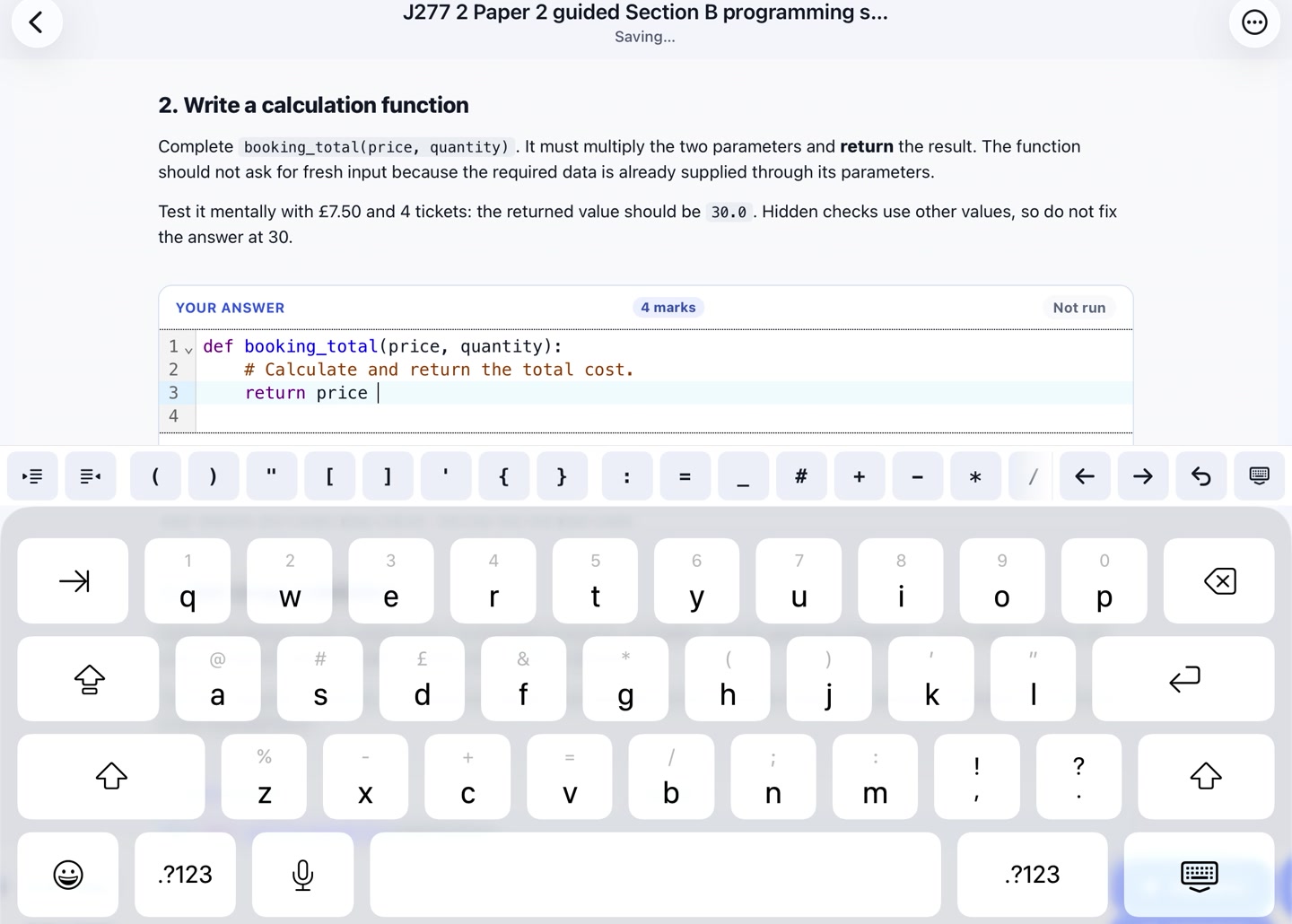
The coding keyboard puts useful programming keys within reach when students write Python on a phone or tablet. They can write and run code in Worksheets, or work through the step-by-step course and check their answers as they practise.
Home brings together assigned work, trophy goals and returned feedback, so students can see what needs doing and pick up their work in class or at home.
Getting started
The app is free to download for students in active classes at schools with a subscription or trial. Students sign in with the same Google or Microsoft account they already use on Coding Pathway. New students should first join their class through the website.
Download Coding Pathway from the App Store.
An internet connection is needed to submit work and check answers. Standalone IDE Workspaces and Programme activities open on the website and may need a separate browser sign-in. An Android app is planned too.
If you're new to Coding Pathway, explore the demo school and interactive walkthrough to try the teaching tools with classes and student work already prepared. If you'd like a hand getting your classes started with the app, get in touch.