Start from a community resource
Browse worksheets and lessons shared by other Coding Pathway teachers, read any of them in full, then copy one into your own lessons and make it yours.
Community resources are complete lessons and worksheets shared by other teachers on the platform. Every one can be read in full before you decide, and a copy becomes your own editable lesson. It is the fastest route from "I need a lesson on data protection" to setting one, and there is real depth to draw on: ordered series of OCR J277 Paper 1 theory worksheets, with more sections, boards and levels following.
1. Browse
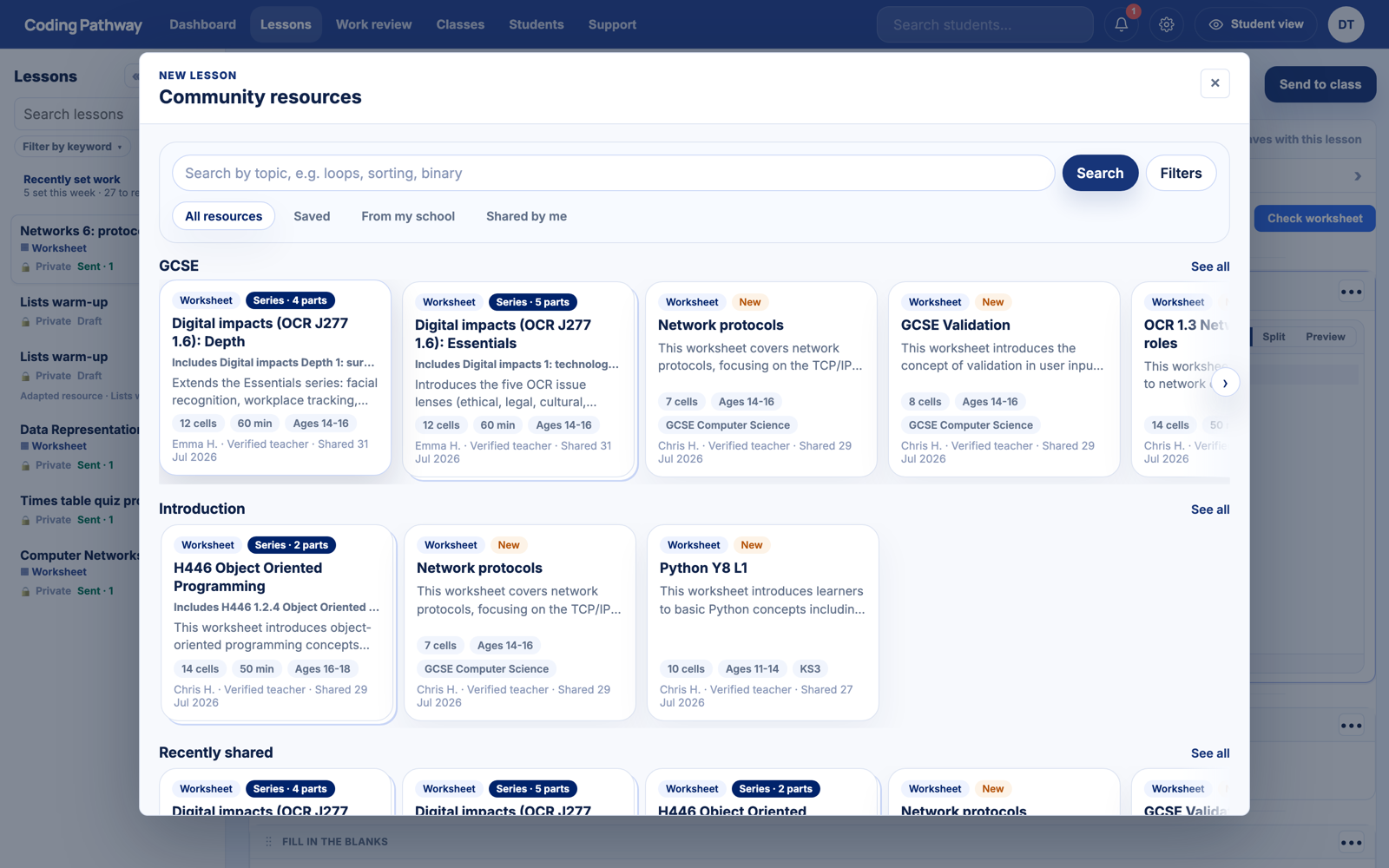
From Lessons, choose + New, then Community resources. Search for a topic, or browse the rows: resources are grouped by stage and purpose, and multi-part units appear as a series you can open part by part.
Every resource card shows what you are looking at before you open it: worksheet or workspace, cell count, suggested age range and time, who shared it and when. Authors are named teachers; Verified teacher means a current member of staff at a real school.
2. Read the whole thing
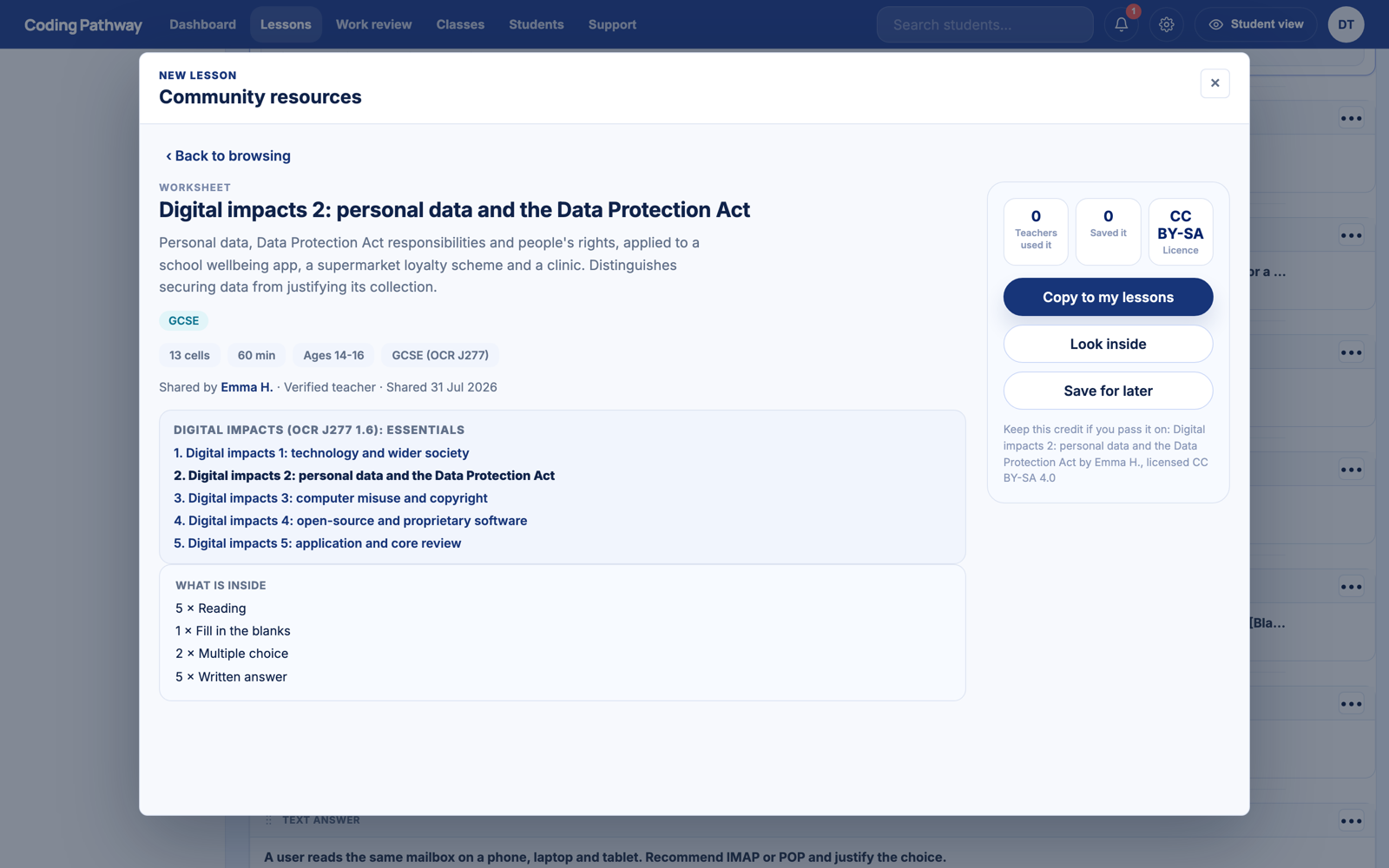
Open a resource and you get the full picture: a summary, its place in the series with links to the other parts, what is inside question by question, the licence, and Look inside to read every cell as a student would see it. There is no lucky dip; you know exactly what you are copying before you copy it.
3. Copy it and make it yours
Choose Copy to my lessons. Resources are shared under a Creative Commons licence chosen by the author, and the copy carries a small credit line, so sharing onwards stays fair. Your copy is a completely ordinary lesson: edit any cell, change the marks, rewrite the guidance, delete half of it. Nothing you do touches the original, and the author sees nothing of your class.
Then Send to class as normal. Students never browse the community themselves; a resource only ever reaches them as work you chose to set.
4. Share your own
The door swings both ways. Any lesson or worksheet of yours can be published from its editor with Publish to community: you choose the licence and how your name appears, and your school's name is never published. If a scheme of work took you a weekend to build, it can save fifty other teachers the same weekend.
Once you have set a copied worksheet, marking it for the whole class picks up from there.