p5.js-style sketches and animation, now in Python
The kind of interactive sketches and animation you would reach for in p5.js, now in Python on Coding Pathway. A fresh, visual way for students to apply what they are learning, saved alongside the rest of their work.
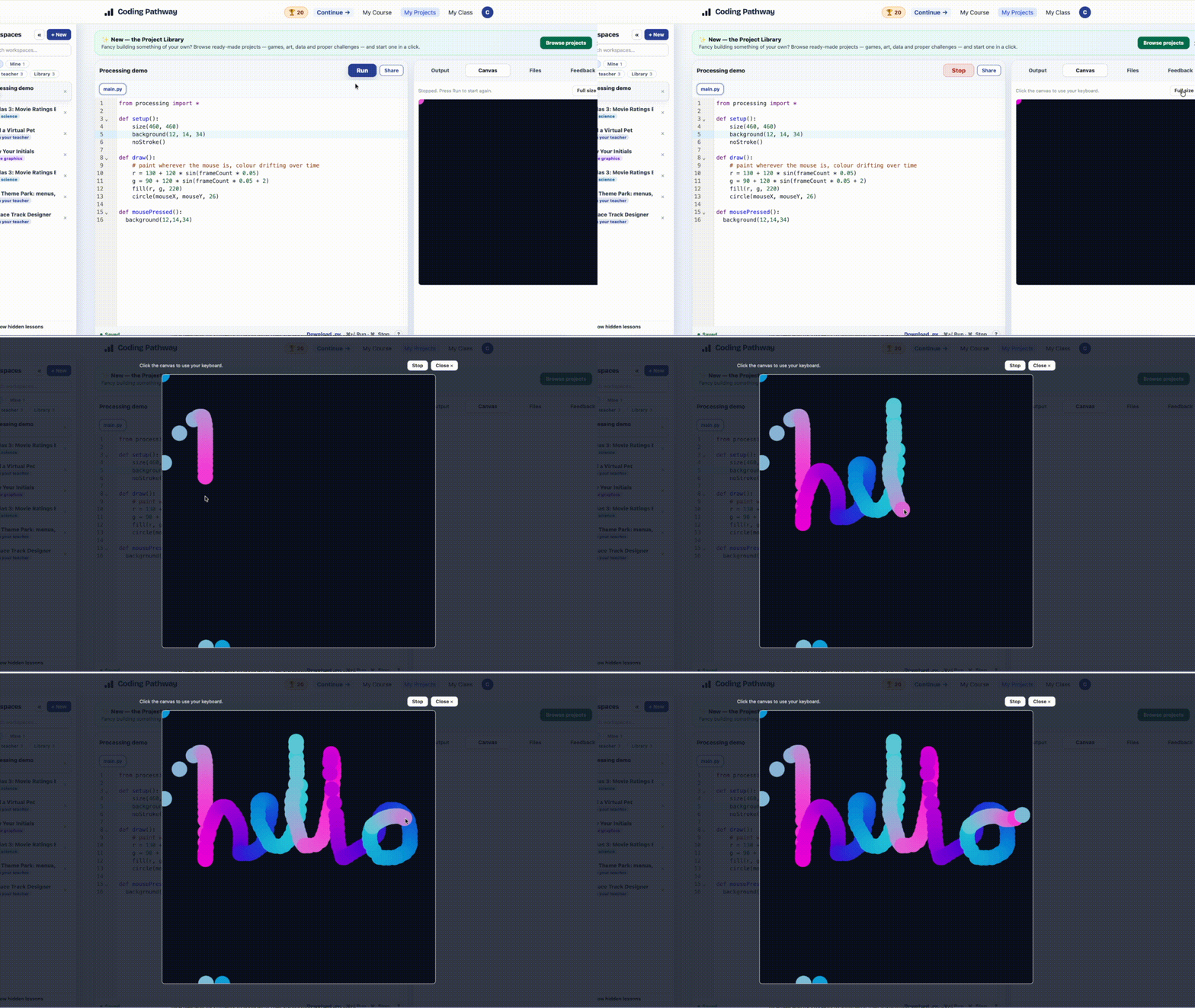
Most computing teachers have come across p5.js, the JavaScript library for sketches and animation. Many of us, myself included, end up focusing on Python and simply don't get the chance to make the most of it. This now brings that same playful, visual style of coding into Coding Pathway, in Python. It is not a reinvention of anything. It is a genuinely nice new way for students to apply what they are learning and enjoy doing it.
How it works
Students write a setup() and a draw(), put shapes on a canvas, read the mouse and keyboard inputs, and watch the result animate frame by frame. It comes in as a normal Python import: from p5 import *, or from processing import * for the Processing name. It runs in the browser, on the same engine as turtle and Matplotlib, with nothing to install.
What students can do with it
It gives the things on your scheme of work somewhere to land:
- Variables, loops, and conditions, used to move things around a screen and react to a click
- Lists and simple data structures, holding the state of a sketch between frames
- A path toward bigger builds: animations, small simulations, and games students will happily keep tinkering with; and far more advanced application with A Level data structures and OOP
The code is the same as any other task. The difference is that the student is making something truly visual and responsive, and they will love it.
Saving and feedback
A sketch saves into the student's Projects workspace alongside the rest of their work, so it shows up in your review like any other project. You can see what they have been doing and leave feedback in the usual place. The work students do off their own bat does not disappear.
Where it lives
It runs in the in-browser Projects IDE that students already use for turtle and Matplotlib. It is available to any user registered in a school.
If you would like ideas for using sketches with a class, get in touch and I will share what is working in other schools. Look out for ready-made selectable Projects for teachers and students to pick from the Project Library.