Worksheets, one document for the whole lesson
Explanation, runnable Python, multiple choice, written answers and fill in the blanks in one document your class works through in the browser. Most of it marks itself, and it carries theory just as well as code.
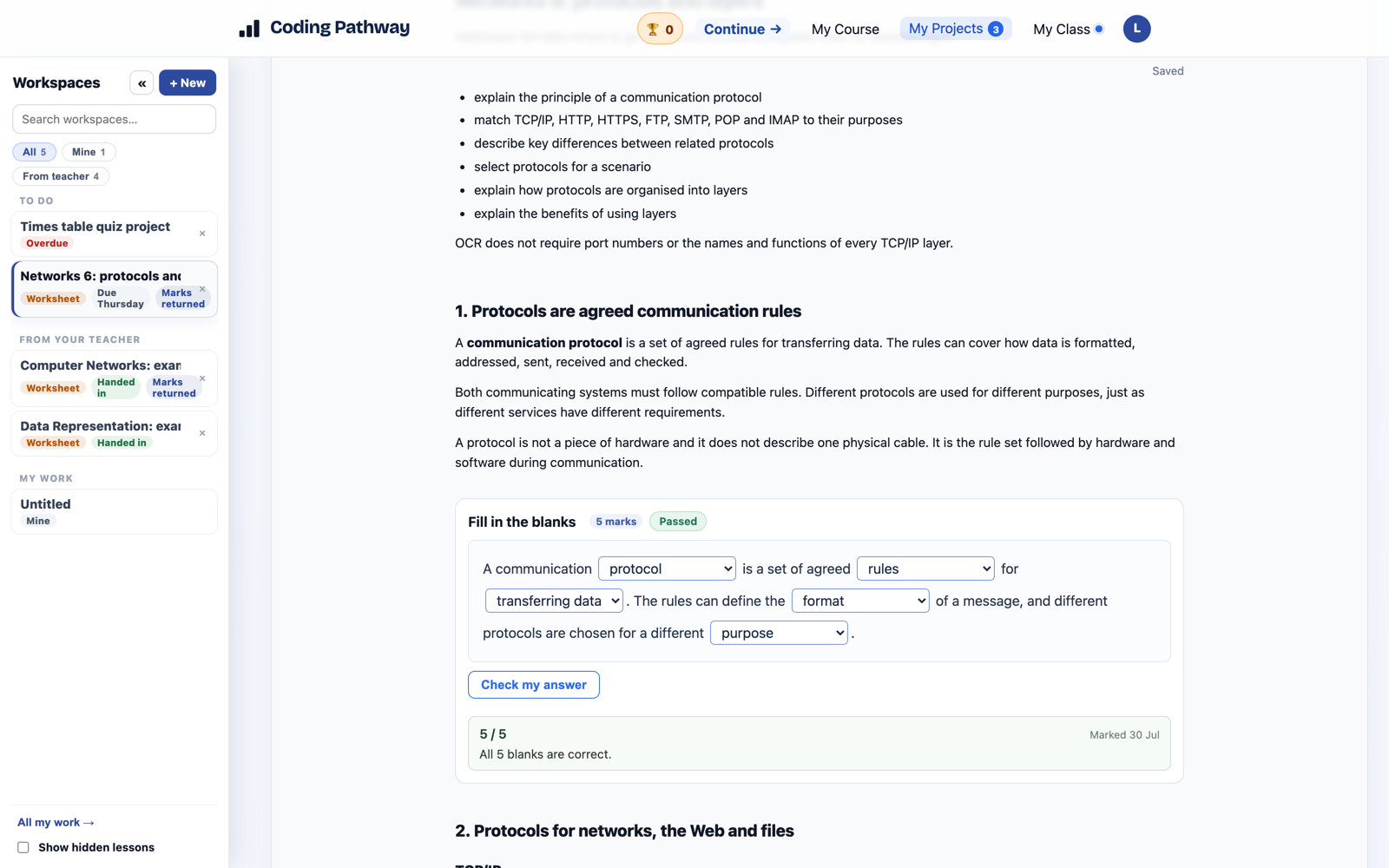
Until now, Coding Pathway lessons have been built around code: a workspace, starter files, instructions. That covers project work well, but most teaching weeks also contain the other lesson, the one with explanation to read, questions to answer and understanding to check. That lesson usually lives in a slide deck, a worksheet from the shared drive and a quiz tool, stapled together by you.
Worksheets put the whole lesson in one document. Text, runnable Python, multiple choice, written answers and fill in the blanks, stacked in whatever order teaches best, worked through by your class in the browser. Students move down the page, run the code, answer the questions, and most of it marks itself as they go.
Five kinds of cell, one document
A worksheet is a stack of cells, and you mix them freely:
- Text carries the teaching: explanation, worked examples, instructions, in full Markdown.
- Code runs real Python in the browser. A cell can be run-only (a worked example students cannot break), open practice, or a checked answer marked against checks you set. The whole worksheet shares one Python session, so a variable defined at the top is still there at the bottom, and numpy, pandas, matplotlib and turtle all work with nothing installed.
- Multiple choice marks itself instantly, or holds answers back for your review.
- Written answers collect short or extended prose, ready for the marking tools.
- Fill in the blanks handles both prose and code: sentence completion with a dropdown answer bank, or a Python template with typed gaps that compiles and runs.
Partly right earns part marks: five of seven blanks correct scores five, and multi-select questions credit each correct selection.
Theory, not just coding
This is the part I have wanted for my own teaching the longest. A worksheet on network protocols, data representation or the Data Protection Act needs no code at all: theory explanation, key-term practice, exam-style written answers with marking guidance attached. GCSE and A Level content that never touches Python now has a home here, with the same self-marking and the same visibility of who has finished and who is stuck, question by question.
If you use Jupyter notebooks, the shape will feel familiar, and Import .ipynb converts a notebook's text and code straight into a worksheet you can build questions onto.
Written once, reused forever
Drafts save as you go, and a worksheet is checked for completeness when you send it, so a half-finished question can never reach a class. Send it with a due date and hand-in, and each student gets their own copy with progress reported back to you. Next year it is still there, ready to set again.
There are two staff-only AI shortcuts as well, Draft with AI for a first draft of a whole worksheet and Improve with AI for a single cell, both reviewed cell by cell before anything is kept. Students never see AI anywhere on Coding Pathway, and that does not change.
Create your first worksheet walks the whole thing end to end. And if you would rather not start from scratch, there is a growing set of complete worksheets shared by other teachers; more on that in the next update.