File handling is now part of the core course
The core course now includes file-handling tasks. Students read from files and, more importantly, write to them, and each task is auto-marked on the file the student produces, not just on what they print.
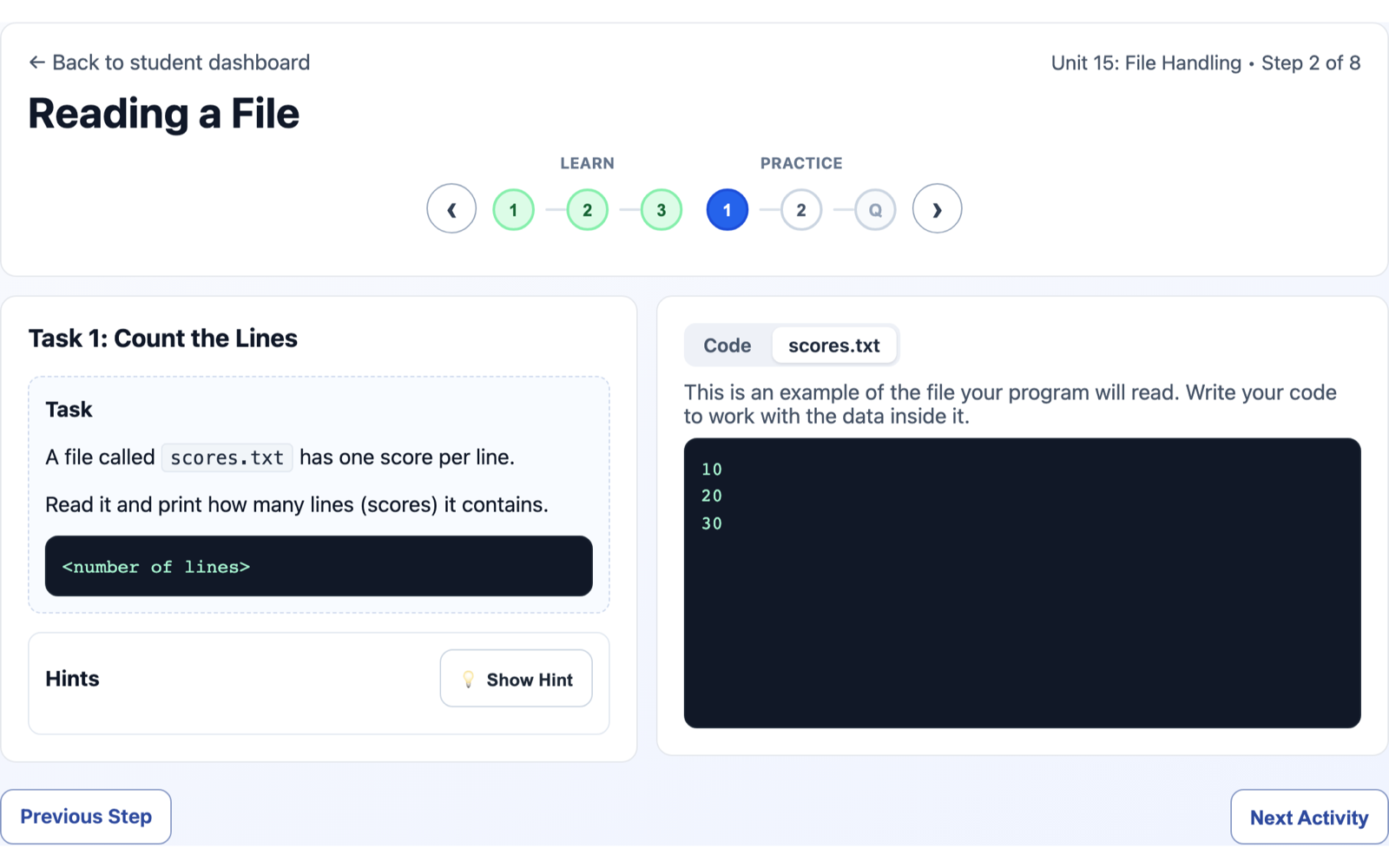
File handling turns up across the GCSE specifications, and writing to a file is one of the parts students get least hands-on practice with. Reading a file is easy enough to demonstrate. Getting a class to each write a file, then checking every one of those files was written correctly and giving each student feedback on it, is fiddly to set up and slow to mark, so in practice students do fare less well when it comes to exam questions involving files. The core course now covers it for you.
File-handling tasks are now part of the core course. Students open a file, read it with read() or readlines(), and write to it with write(). The task is marked on the contents of the file the student creates, not only on what they print to the screen, so the skill that is hardest to practise is the skill being checked.
What a task looks like to a student
- A file is provided, and they can see it. Where a task gives a student a file to read, that file shows in a read-only tab next to the editor, so they can look at the data they are working with before they write a line.
- The success criteria is the file. "Write each name in upper case to
output.txt" is checked by readingoutput.txtback and comparing it. A program that prints the right thing but never writes the file does not pass, which is exactly the point of the topic. - The feedback is specific. When the file is not right yet, the result shows what the file should contain next to what the student's file actually contains, so the gap is clear.
Safe by design
All of this runs in the same sandboxed runtime the rest of the core course uses. There is no real filesystem involved: the files exist only for the duration of a check and are discarded afterwards. Students learn the real syntax and behaviour of Python file handling without anything touching a real disk.
For teachers
These tasks are written and provided as part of the core course, so there is nothing for you to set up and nothing to mark by hand. A whole class can get genuine, self-directed practice at writing files, with instant, specific feedback, while you keep the same overview you have for every other task.
If you would rather students work with your own data files, that is still possible in a Projects lesson, where you can supply a file for them to open and explore. That sits alongside the core course; the file-handling tasks here are the auto-marked, self-directed version.
It is a living course rather than a fixed set of tasks, so if a file-handling task is not pitched right for your class, tell me and I will take a look.