On this page
Create a Workspace in Lessons, then choose a starter for the language or library you want to teach. Students can run the work in their browser without installing a desktop IDE.
Workspace or Worksheet?
Choose a Workspace for a project with several files, a web page preview or tasks attached to specific lines of code. Choose a Worksheet with Python cells when students will move between code, explanations and questions in the same lesson.
Choose a starter
| What you want to teach | Start with |
|---|---|
| Python input, selection, loops and functions | Python program |
| Python split into modules | Multiple Python files |
| Web pages | HTML page, or HTML, CSS and JavaScript |
| JavaScript console programs | JavaScript program |
| Drawing and animation | Python Turtle, Python Processing or JavaScript p5.js |
| Games | Pygame or Pygame Zero |
| Charts and data | Matplotlib, CSV/pandas or SQLite |
| Routes, forms and JSON responses | Flask or FastAPI |
Library starters include a reference.md file you can edit. Keep your lesson instructions in instructions.md, so students can distinguish the task from library help.
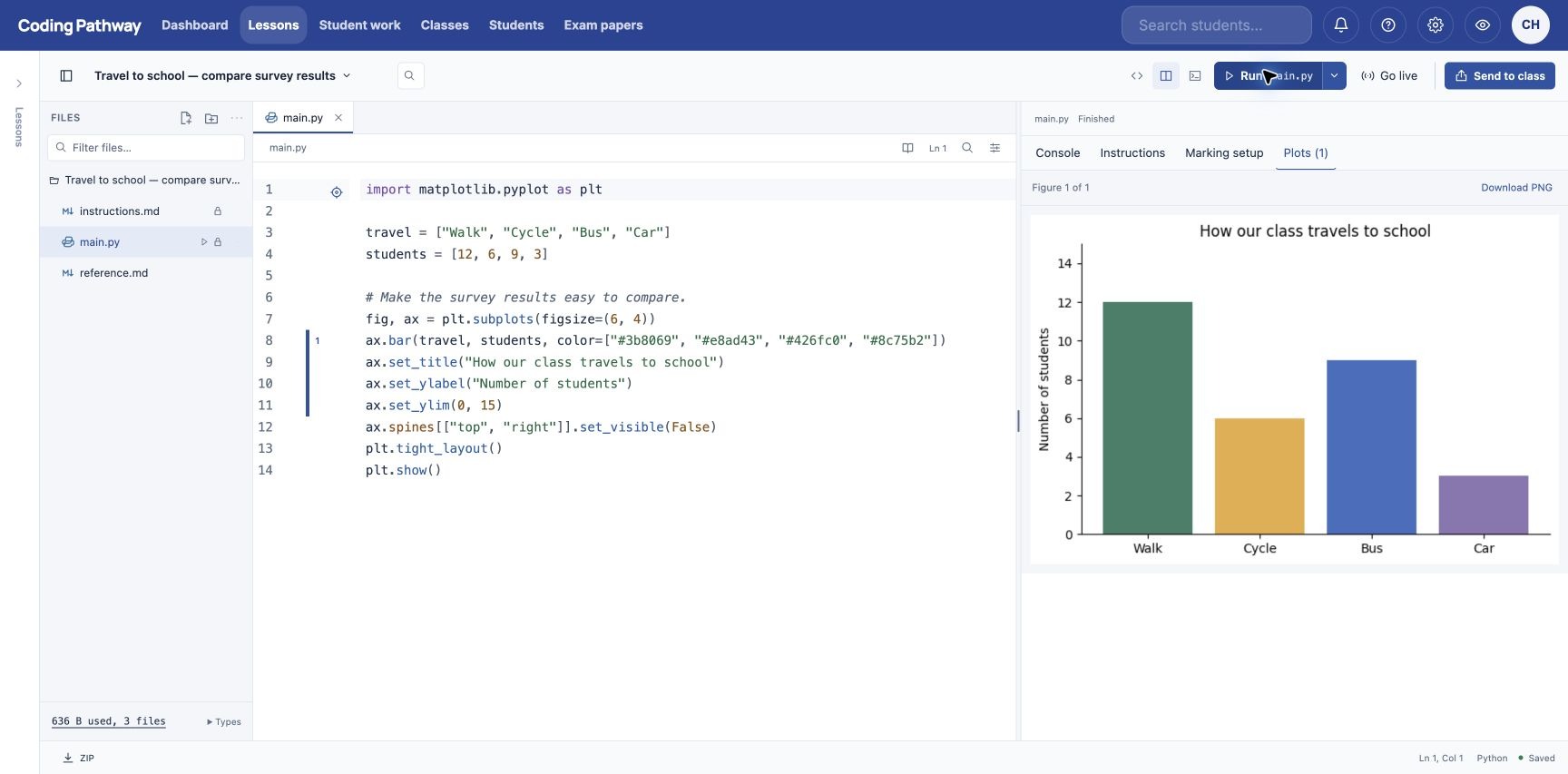
For example, the Matplotlib starter can turn a class travel survey into a bar chart. After running the program, open Plots to see the figure or download a PNG.
 Enlarge image
Try a Python program
In a blank Python Workspace, enter this in main.py and choose Run:
prices = [2, 3, 4]
print("Total:", sum(prices))
The console should show Total: 9. You could ask students to add another price, predict the total, then run it to check.
For input(), students enter their response in the console when the program asks for it. Use Stop if a program is stuck. If an error points to a line, choose Go to line to open it. This is available when the relevant source file still matches the version you ran.
Build a web page
Choose the HTML/CSS/JavaScript starter. Keep its file links and replace the body content with a heading, paragraph or list. Put styling in style.css and behaviour in script.js.
For example, add <h1>Our computing club</h1> inside the HTML body, then put this in style.css:
body {
  background: lightyellow;
  font-family: Arial, sans-serif;
}
h1 {
  color: navy;
}
Run the page preview to see the styled heading. Check file names and the stylesheet link if the page appears without styling. Use relative paths for images and other local files.
Graphics and games
Start from the matching template rather than pasting a desktop example into blank Python. Pygame needs a loop that yields to the browser; keep the starter's await asyncio.sleep(...) pattern. Click the preview before testing keyboard input or audio.
Python Processing and JavaScript p5.js are different libraries. Use Python syntax with the Processing starter and JavaScript with p5.js. Examples written for Java Processing or other desktop environments may need adapting.
If the code does not run
- The web page has no styling: check that
index.htmllinks tostyle.css, including the spelling and folder path. - A file cannot be found: check its location in the explorer and the path used in the code.
- A game does not respond to keys: click its preview, then try again.
- A desktop example fails: start with the matching library template and compare its setup before adding the example.
For a live game or chart, ask students to run the shared code on their own devices to see and interact with it.
Runtime limits
- Python runs through the browser runtime, with supported packages such as NumPy, pandas, Pillow, Matplotlib and SQLite. It is not an unrestricted package installer.
- For image processing, OpenCV can read a supplied still image and display its result in the browser preview. Add the image to the Workspace first. Webcam capture and native windows are unavailable.
- JavaScript and web previews do not provide Node.js, npm or a framework build service.
- Flask and FastAPI run locally inside the browser for teaching. They do not publish a website or start a publicly reachable server.
- Tkinter and native desktop windows are not supported. Desktop games may need adapting; Pygame audio supports WAV and OGG, not MP3 decoding.
- Web previews restrict external content. Keep necessary resources in the Workspace and use the supplied library starters.
For file handling, see Workspace files and resources. To use a Workspace with your class, see create and send a lesson and run a live lesson.