Read the class progress matrix and signals
One screen that answers who is moving, who is stuck, who has gone quiet, and who deserves a word of praise on the way in.
The class page is built around one question: where should your attention go next?
The matrix
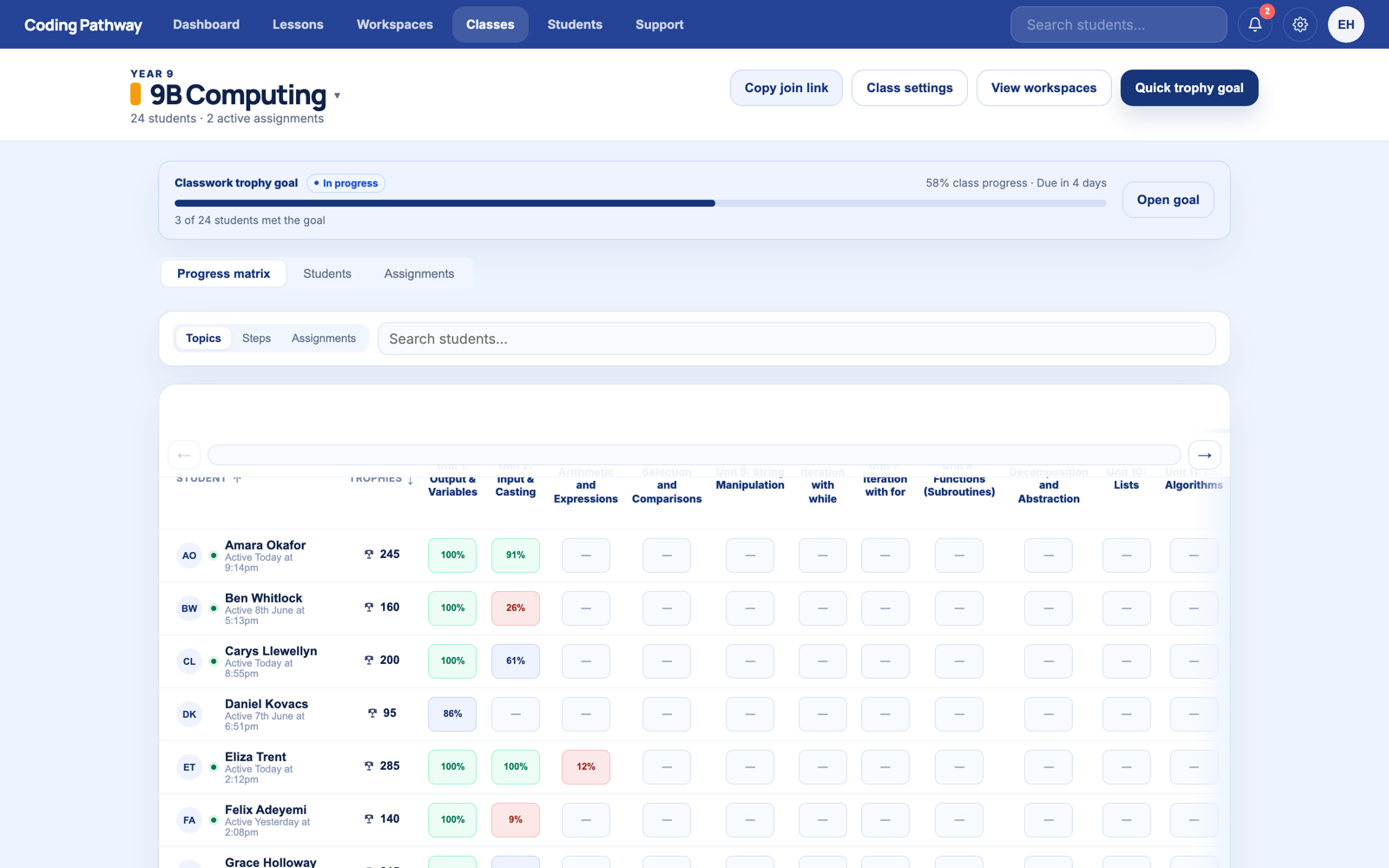
Open a class and you get the progress matrix. Students down the side, pathway units and steps across the top, completion shown cell by cell, with each student's trophies and last-active time alongside. Three things jump out without any digging:
- The leading edge. How far the class core has moved.
- The gaps. Students whose row has stopped while the class moved on.
- The dormant. Last-active timestamps that have quietly slipped to last week.
The signals
The platform watches patterns you do not have time to: repeated failed attempts on the same task, momentum that has stalled, students who have gone quiet, and students putting in a strong run. These surface as calm, evidence-backed signals on the class and student views. A dot worth clicking, not a dashboard that cries wolf.
Each signal shows its evidence, so "this student looks stuck" comes with the attempts to prove it.
The drill-down
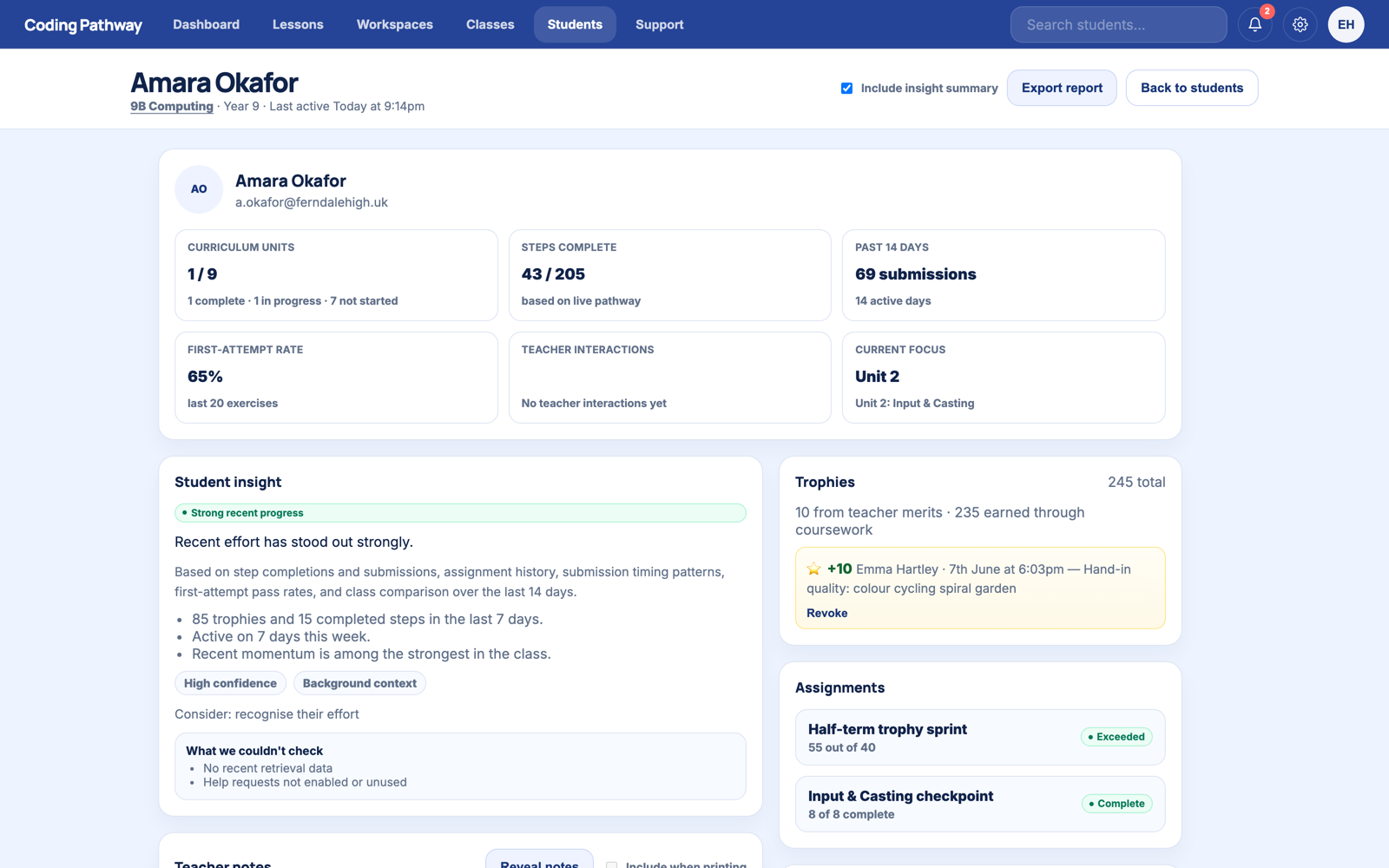
Click any student for their full record: progress, trophy history, feedback trail, help requests, notes from colleagues, and an exportable summary that holds up in a parents' evening or a department review.
Five minutes before each lesson is enough. Scan the matrix, note the two students who need you first, and walk in already knowing.