Set work with a trophy goal
The quickest way to set classwork or homework on the core course. Give the class a trophy target, put the board on a screen or projector, and let students choose their own route to it.
Trophy goals are how most work gets set on Coding Pathway. Students earn trophies from any step they complete on the Python pathway, so a goal gives the whole class one clear target while each student works on the steps that are right for them.
1. Set the goal
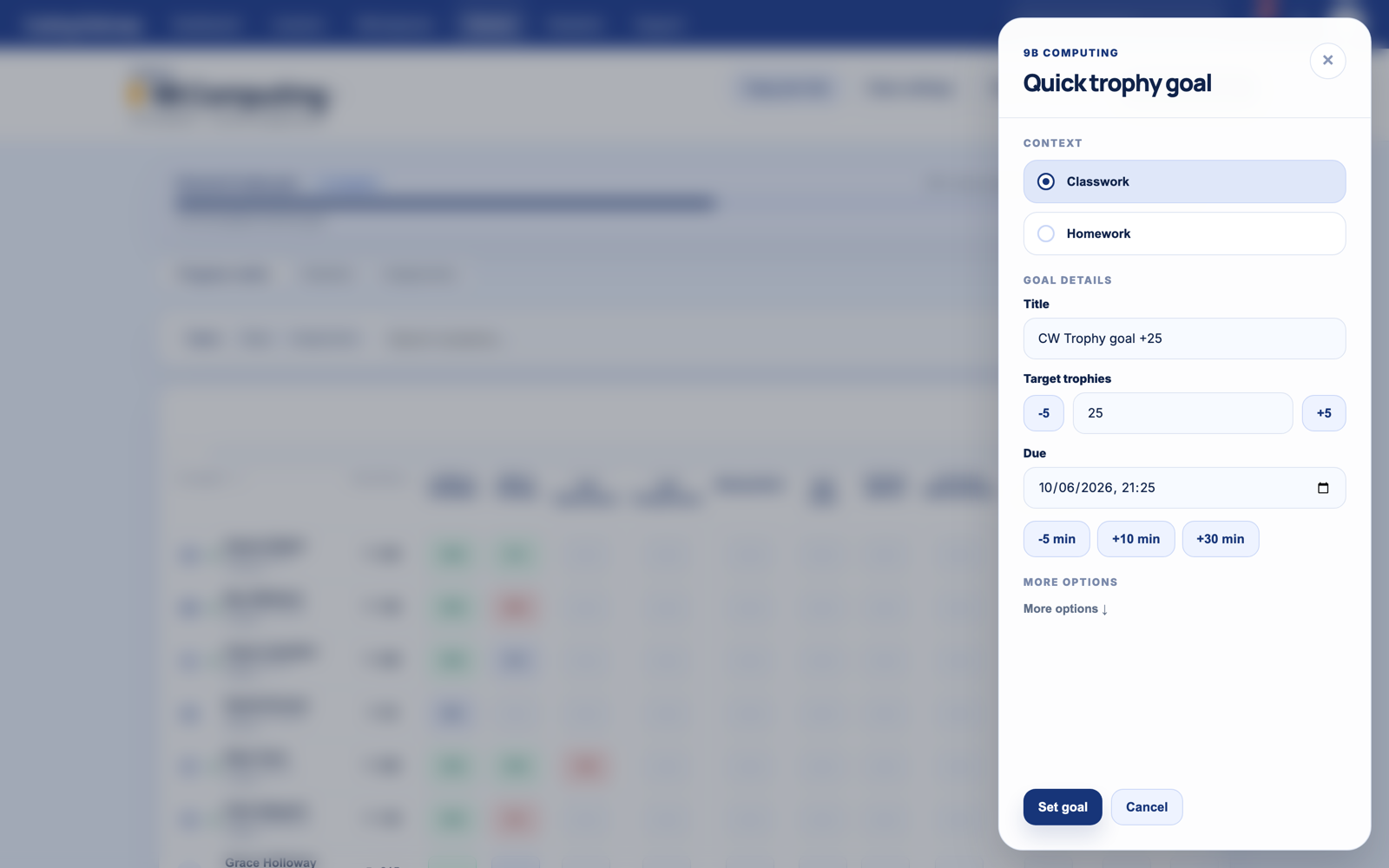
From the dashboard Quick start, choose Set a trophy goal. Pick the class, a target, and a deadline. Some patterns that work well in real classrooms:
- Starter or end of lesson: 20 trophies before the bell
- Main lesson activity: 50 trophies this lesson
- Homework: 60 trophies by next lesson
- Holiday or half-term challenge: 75 trophies by the first lesson back
Every student gets the same target but starts from their own baseline. The student on Unit 2 and the student on Unit 8 are both stretched, and both can win.
2. Put the board up
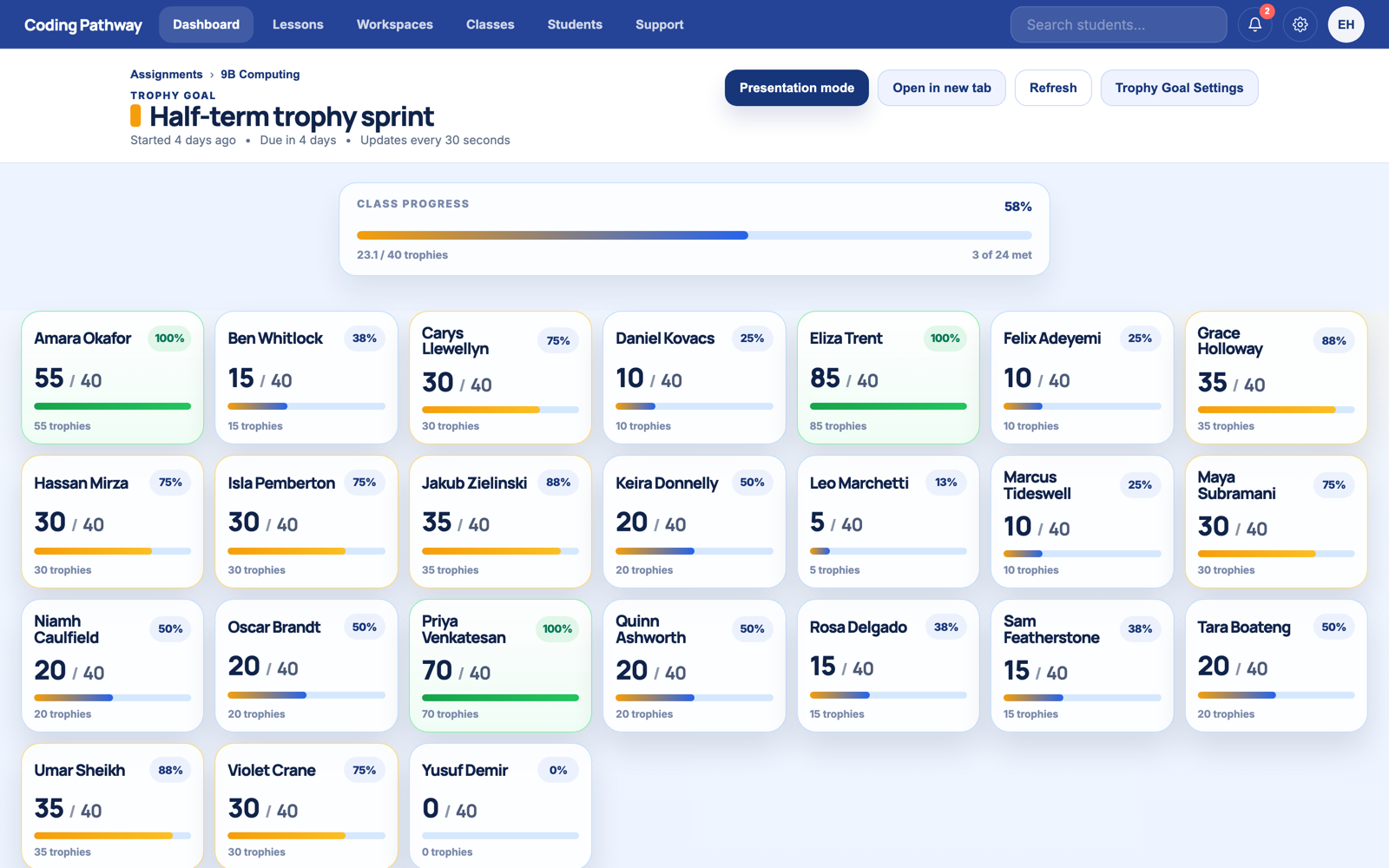
Every goal has a board built for the front-of-class screen: a tile per student, live progress bars, and class progress at the top. Open it in a new tab, switch to presentation mode, and put it on the screen or projector. It refreshes itself regularly as students make progress through the course. Most classes need no further encouragement.
The board shows progress toward a personal target, not a ranking. Students compete with their own bar first, and the quiet middle of the class joins in because for once the scoreboard includes them.
3. Watch it come back
As students work, coding tasks are checked automatically and progress lands in your class matrix as it happens. You can see who is moving, who has not started, and who is stuck before the deadline arrives rather than after it.
When the goal closes, it records who met it. Award a few trophies for the standouts, then set the next one.
For project-style work in the browser editor, the next guide covers lessons.